
Golf simulator software is what turns a launch monitor's numbers into a round of golf: the courses, the range, the games and the practice. Some of it works with many launch monitors, like GSPro, E6, Awesome Golf, Infinite Tees and ShotForge; some comes from the launch monitor's maker, like Foresight Premier, Uneekor, Trackman, SkyTrak, Rapsodo, Garmin Home Tee Hero and Square Golf. Here is every platform sold in October 2026: what each costs, where it runs, which launch monitors it takes, the PC it needs, what it costs over three years, and which to pick. Jay Lasco, host of Golf Simulator Videos, has played every one of them on GSV's launch monitors, from GSPro and E6 in 2020 to Foresight Premier and Infinite Tees in 2026.
Prices are the makers' list prices, read October 17, 2026. ShotForge takes GSV25OFF for 25% off, and GSV's link has GOLF+ on Meta Quest.
Golf simulator software with a GSV code
- ShotForge25% off at ShotForge with code GSV25OFF.
- GOLF+ on Meta QuestGSV code at Meta: SIM-190889, at checkout.
Buying through GSV's links and codes helps support the channel: GSV earns a small commission at no extra cost to you, and you still get every saving available.
The short answer
- A Windows PC with a graphics card: GSPro, $250 a year, with more than 2,500 courses, real putting and the most launch monitors.
- The most courses: E6 Golf 2026, formerly E6 APEX, with 15,000+ courses from $150 a year.
- Families, juniors and iPads: Awesome Golf, from $14.99 a month or $349.99 once, on almost any device.
- Practice on a budget: ShotForge, $59.99 a year, with combines, drills and 11,000+ auto-built courses.
- Free: Muni Golf, free to download and play by its developer, with practice ranges, generated courses and an AI hole generator. See Jay's Muni Golf first look.
- Already own the launch monitor: start with its maker's software, then add GSPro or E6 when you want more.
Every platform at a glance
| Software | Price | Runs on |
|---|---|---|
| GSPro | $250 a year | Windows PC |
| E6 Golf 2026 | $150, $300 or $450 a year | Windows PC |
| E6 CONNECT | Home license, priced after a TruGolf login | Windows PC and iPad |
| Awesome Golf | $14.99 a month, $159.99 a year or $349.99 once | Windows, Mac, iPhone, iPad, Android, Chromebook |
| Infinite Tees | $19.99 a month or $199 a year | Windows PC |
| ShotForge | $6.99 a month or $59.99 a year | Windows PC |
| Creative Golf | Priced by license, not published | Windows PC |
| Muni Golf | Free, by its developer | Windows and Linux, by its developer |
| Foresight Premier | Foresight+ free, $199 or $599 a year; Course Pass $295 or $595 a year | Windows PC |
| Uneekor VIEW, Refine and GameDay | Free to $599 a year by plan | Windows PC |
| Trackman | Home $700 or Home Complete $1,100 a year | Windows PC |
| SkyTrak app | $99.99 to $599.99 a year | Windows, Mac, iPad, Android |
| Rapsodo | Core $199.99 or Studios $399.99 a year | Phone app and Windows PC |
| Garmin Home Tee Hero | Garmin Golf, $99.99 a year | Phone, tablet or the R50 |
| Square Golf app | No subscription; courses on credits | Phone, tablet and Windows PC |
Each maker's own price list. Some launch monitors, from Uneekor, Rapsodo, Foresight and Bushnell, also need their maker's plan to send shots to other software; the sections below say which.
Software for many launch monitors
GSPro
GSPro is the simulator most home golfers end up on. It costs $250 a year from GSPro, with updates; there is no free version, no trial and no lifetime license on sale, and one license runs one PC. Its community has built more than 2,500 courses from LiDAR data, downloaded free from the course server inside GSPro, with up to 8 players at home or online and leagues through the Simulator Golf Tour.
- Launch monitors: 31 lines on GSPro's list, among them the Garmin R10 and R50, the Mevo Gen2, the Rapsodo MLM2PRO, Square Golf, the Foresight and Bushnell units, the Uneekor line, the ProTee VX and the Full Swing KIT. SkyTrak and Trackman are not on it.
- Plans the launch monitor needs: Uneekor's Pro plan, $199 a year; Rapsodo's paid plan for the MLM2PRO; Foresight or Bushnell at GSPro's FSX or Gold level.
- The PC: Windows only, with an RTX 3060 and 16GB at the minimum for 1080p, an RTX 3060 Ti or 3070 recommended, and an RTX 3080 with 32GB for 4K.
More in the GSPro guide and GSPro compatible launch monitors.
E6 Golf 2026 and E6 CONNECT
TruGolf sells two programs. E6 Golf 2026, which was E6 APEX, is the newer one: three yearly plans, Improve $150, Play $300 and Enjoy $450, and 15,000+ courses, most of them built by AI on demand and a smaller set hand-built premium courses. It runs on a Windows PC with an RTX 3060 12GB and 24GB of memory, and TruGolf names 14 of its 19 launch monitor integrations, among them its own APOGEE and LaunchBox, FlightScope, the Garmin R10 and R50, Rapsodo and Square Golf. E6 CONNECT is the older program, for a PC or an iPad, with 27 owned courses in its Home license and more than 18 launch monitors; TruGolf shows its price after a login.
On a Garmin R50 in March 2026, Jay found a clean interface and good cup physics, and flagged a carry gap to TruGolf: 264 yd in E6 against 273 yd on the R50. The E6 guide has the plans, the courses and GSV's findings in full.
Awesome Golf
Awesome Golf is the family and coaching pick: $14.99 a month, $159.99 a year or a lifetime license for $349.99, with a 14-day trial, on Windows, Mac, iPhone, iPad, Android or a Chromebook, and on modest hardware. It plays 12 courses, seven of them 18 holes, and 13 game modes, with worldwide challenges and arcade shootouts, but no putting. It takes Garmin, FlightScope, Foresight, Bushnell, Rapsodo MLM2PRO, Square Golf and the Uneekor EYE MINI. See the Awesome Golf guide.
Infinite Tees
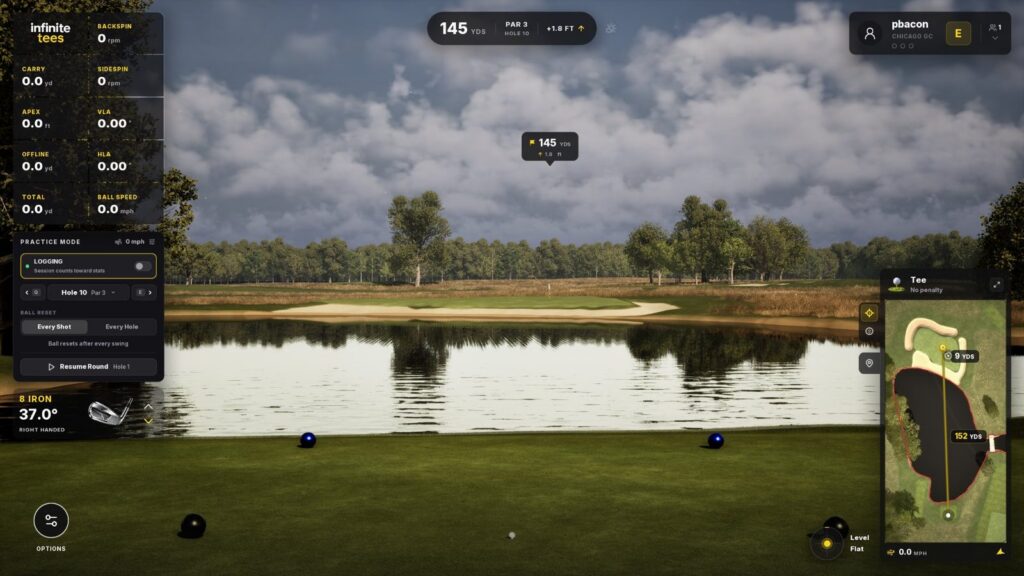
Infinite Tees is an Unreal Engine simulator in early access, $19.99 a month or $199 a year with a 10-day trial. Golfers build courses from LiDAR in its Superintendent tool and share them, and an October 2026 update added a new physics model, a dual screen mode and a drone mode. Its official launch monitors are Nova, Spectrum, VTrack and Bullseye; other units connect through community connectors on its open API, which Infinite Tees does not support. It asks for an RTX 3070 and 16GB. See the Infinite Tees guide.
ShotForge
ShotForge is practice first: combines, skills tests and drills, AI swing analysis from one or two cameras, and course play on 11,000+ courses it builds from LiDAR, satellite pictures and map outlines. It is $6.99 a month or $59.99 a year with a 7-day trial, on Windows, and GSV25OFF takes 25% off. See the ShotForge review and ShotForge course play.
Creative Golf
Creative Golf Advanced 3.1, from DATAcrea, lists more than 200 real courses and works with Uneekor, GolfJoy, Garmin, Foresight, FlightScope, ProTee, Square Golf and others. In October 2025 Jay found that the Advanced license includes every course, present and future, with new grass, shadows and an easier setup, and that it runs on a budget PC with 16GB of memory and a 4GB graphics card. Creative Golf does not publish its price.
Muni Golf
Muni Golf, from munigolfsim.com, is free to download and play: its developer wrote on August 31, 2026 that it has been 100% free since launch, for Windows and Linux. Its courses are generated from map data of real courses rather than built by hand, and it has a built-in launch monitor connector, practice ranges with weather and time of day, on-course practice, online lobbies and an AI hole generator that builds a hole from a text description. In Jay's first look on October 20, 2026 it connected to a Square Golf OMNI with no other program, ran at 60 frames a second with every graphics setting at its highest, and had Warwick Hills laid out where the holes are, with generic trees and houses. See Muni Golf, free golf simulator software, first look.
Software from the launch monitor makers
Foresight Premier and Foresight+
Foresight Premier replaces FSX Play and FSX Pro in one PC program for the GC3, GCQuad, QuadMAX, Falcon and GCHawk. Foresight+ sets what it does: Free for ball and club data, Silver $199 a year for unlimited history, drills and challenges, and Gold $599 a year for swing video, coaching and third-party software such as GSPro. Courses come with Course Pass, $295 a year for 35 courses or $595 a year for all 111. Since October 2026, owners of a perpetual Foresight license get Silver and Course Pass at no cost, by Foresight: see Foresight+ Silver and Course Pass for license owners. In its preview, Jay found Premier's graphics a clear step up from FSX Play. Owners of FSX licenses keep using them, with fixes but no new features. See nine holes on Foresight Premier.
Uneekor VIEW, Refine and GameDay
Uneekor's Launcher opens VIEW, its range and data program, Refine for course play and GameDay, its newer course software, all on a Windows PC. Plans are per unit each year: Player free, Pro $199 with third-party software such as GSPro, Champion $399 and Ultimate $599 with GameDay. See the Uneekor guide and GameDay.
Trackman
Trackman Performance Studio runs Virtual Golf 3, Trackman's course engine, with games, tournaments and leagues. Home is $700 a year with 70 courses, and Home Complete $1,100 a year with 500+; a Trackman iO comes with its first year. Trackman is not on GSPro's list. See the Trackman guide.
SkyTrak app
SkyTrak's own app plays Foresight and Trackman course packs on Windows, a Mac or an iPad with an M1 or newer, or Android. Essential is $99.99 a year without course play; Core is $299.99 a year with 51 Foresight courses or $349.99 with 53 Trackman courses; Elite is $599.99 a year with both. SkyTrak is not on GSPro's list. See SkyTrak membership plans.
Rapsodo
Rapsodo's app runs on a phone, and its PC app is free to owners of a supported unit. Core, $199.99 a year, opens 30,000+ courses and all the data, with simulator putting on the MLM2XPRO; Studios, $399.99 a year, adds a library of 4K courses. See the MLM2XPRO review.
Garmin Home Tee Hero
Home Tee Hero plays more than 43,000 courses with the Garmin Golf membership, $9.99 a month or $99.99 a year: on a phone or tablet with the R10, or on the R50's own screen with no PC at all. See the Garmin guide.
Square Golf app
Square Golf charges no subscription: the range and practice are free, and course play uses credits, with 1,000 included. The app runs on phones, tablets and a Windows PC. See the Square Golf review.
Coming soon and no longer sold
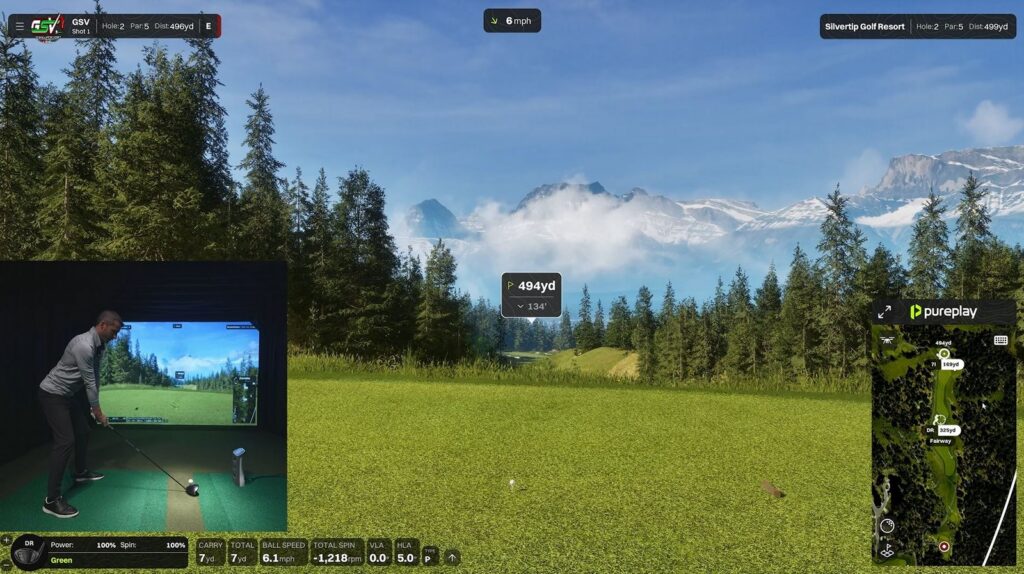
- Pureplay: early access opens November 6, 2026, on a yearly plan priced at checkout, for Windows with an RTX 3060 and 16GB at the minimum. It names Square Golf, Garmin, ProTee VX, GolfJoy, Nova and others as launch monitors. See the Pureplay first look.
- ProTee GolfCore: ProTee's own Unreal Engine simulator, free for ProTee VX owners, with no release date yet. See GolfCore.
- TGC 2019: no longer sold since October 30, 2024.
- FSX Play and FSX Pro: replaced by Foresight Premier.
Which software each launch monitor runs
| Launch monitor | Its own software | Other software |
|---|---|---|
| Garmin R10 and R50 | Home Tee Hero with Garmin Golf | GSPro, E6 Golf 2026, Awesome Golf |
| FlightScope Mevo Gen 2 | FS Golf, and 8 E6 CONNECT courses to keep | GSPro, E6 Golf 2026, Awesome Golf |
| Rapsodo MLM2PRO | Rapsodo courses with a paid plan | GSPro, E6 Golf 2026, Awesome Golf |
| Square Golf Home and OMNI | Square Golf app, no subscription | GSPro, E6 Golf 2026, Awesome Golf |
| SkyTrak ST MAX | SkyTrak app with Foresight or Trackman courses | Not on GSPro's or Awesome Golf's list |
| Foresight GC3, GCQuad, Falcon | Foresight Premier with Foresight+ | GSPro and Awesome Golf with Gold |
| Bushnell Launch Pro | Foresight+ | GSPro and Awesome Golf with Gold |
| Uneekor EYE XO2 and EYE MINI | VIEW, Refine and GameDay | GSPro with the Pro plan; Awesome Golf on the EYE MINI |
| ProTee VX | ProTee Labs; GolfCore to come | GSPro, E6 CONNECT and Creative Golf |
| Trackman iO | Trackman Performance Studio | Not on GSPro's list |
From each software maker's list in October 2026. For E6 Golf 2026 the brands are those TruGolf names.
The computer each needs
- Integrated graphics are enough: Awesome Golf, and ShotForge says it needs no high-end gaming PC.
- A budget gaming PC: Creative Golf, with 16GB and a 4GB graphics card by Jay's 2025 test; SkyTrak, with a GTX 1650 class card.
- An RTX 3060 class card: GSPro at 1080p, E6 Golf 2026 with 24GB of memory, and Pureplay at 1080p.
- An RTX 3070 or better: Infinite Tees, and GSPro recommended; an RTX 3080 for GSPro in 4K.
GSV measured frame rates in the golf simulator PC benchmarks, and the best computer for a golf simulator picks the PC.
What it costs over three years
| Software | Each year | Over three years |
|---|---|---|
| ShotForge | $59.99 | $179.97 |
| Garmin Golf for Home Tee Hero | $99.99 | $299.97 |
| Awesome Golf, lifetime | $349.99 once | $349.99 |
| Infinite Tees | $199 | $597 |
| Rapsodo Core | $199.99 | $599.97 |
| GSPro | $250 | $750 |
| SkyTrak Core with Foresight courses | $299.99 | $899.97 |
| E6 Golf 2026 Play | $300 | $900 |
| GSPro on a Uneekor, with the Pro plan | $449 | $1,347 |
| Foresight+ Gold with Course Pass Pro | $1,194 | $3,582 |
| Trackman Home Complete | $1,100 | $2,200, the iO including year one |
Which to choose
- A launch monitor on GSPro's list and a gaming PC: GSPro.
- The widest choice of courses, or a TruGolf launch monitor: E6 Golf 2026.
- Kids, family nights, an iPad or a laptop: Awesome Golf.
- Practice more than play: ShotForge, with GSV25OFF.
- A Foresight, Uneekor, Trackman, SkyTrak, Rapsodo, Garmin or Square Golf unit: begin with its own software, then add GSPro or E6 if the maker's plan allows it.
Many simulators run more than one. The launch monitor finder matches a launch monitor to the software you want, and the GSV Sim Builder checks the room.
Launch monitors that run the most software
- Garmin Approach R105% off at Shop Indoor Golf with code GSV5OFF.First-time buyers only, one use. Not valid on a standalone Trackman, the Square Golf launch monitor or the ProTee VX.
- FlightScope Mevo Gen25% off at FlightScope with code GSVMEVO.
- Square Golf Home Edition5% off at Square Golf with code GSVSQUARE.
- Rapsodo MLM2PRO5% off at Shop Indoor Golf with code GSV5OFF, first-time buyers.
Will it fit? See each in your room in the free GSV Sim Builder, in 3D: Garmin R10, Mevo Gen2, Square Golf HE, MLM2PRO.
Free consultation with GSV's partner builders
Choosing a launch monitor and software together? Jay works with official partners: master builders he hand-picked, who get on a call quickly and make sure the launch monitor, the software and the PC work together before you buy anything. They offer package deals on the whole build, DIY packages, full installation, and more. The consultation is free.
Golf simulator software questions
What is the best golf simulator software?
It depends on the PC, the launch monitor and who plays. On a Windows PC with a graphics card, GSPro: $250 a year, more than 2,500 courses, real putting and 31 launch monitor lines. E6 Golf 2026 has the most courses, Awesome Golf suits families and iPads, and ShotForge is a low-cost practice app.
How much does GSPro cost?
GSPro costs $250 a year from GSPro, with no free version, trial or lifetime license on sale. Its community courses download at no charge from inside GSPro.
What is the difference between E6 APEX and E6 CONNECT?
E6 APEX is now sold as E6 Golf 2026: Windows only, 15,000+ courses, $150, $300 or $450 a year. E6 CONNECT is TruGolf's older program for a PC or an iPad, with 27 owned courses in its Home license, priced after a TruGolf login.
Which golf simulator software runs on an iPad?
Awesome Golf, E6 CONNECT and the SkyTrak app run on an iPad, and Garmin's Home Tee Hero, Rapsodo's app and Square Golf's app run on phones and tablets. GSPro, E6 Golf 2026, Infinite Tees and ShotForge need a Windows PC.
What computer do you need for golf simulator software?
It depends on the software. Awesome Golf runs on integrated graphics. GSPro needs an RTX 3060 and 16GB for 1080p, with an RTX 3060 Ti or 3070 recommended and an RTX 3080 for 4K. E6 Golf 2026 asks for an RTX 3060 12GB and 24GB, and Infinite Tees an RTX 3070.
Does SkyTrak work with GSPro?
SkyTrak is not on GSPro's list of supported launch monitors. SkyTrak's own app plays Foresight and Trackman course packs with a Core or Elite plan.
Is TGC 2019 still sold?
No. TGC 2019 has not been sold since October 30, 2024.
Which golf simulator software is cheapest?
Over three years at list price: ShotForge about $180, Garmin Golf for Home Tee Hero about $300 on a Garmin, Awesome Golf's lifetime license $349.99, Infinite Tees $597 and GSPro $750. Square Golf's app has no subscription at all, and Muni Golf is free, by its developer.
All GSV posts on this (26)
- Muni Golf: Free Golf Simulator Software, First Look 2026
- Pureplay Golf Simulator Software First Look: Is This the Next Big Thing? 2026
- Creative Golf 3D 2025 Review: NEW Graphics, Setup, Features, & More! 2025
- Foresight Sports FSX Play Swing Camera Integration is Coming! #golf #homegolfsimulator #golftips 2024
- CREATIVE GOLF 3D! BIG Updates, Review, & More! (Golf Simulator Software) 2022
- Foresight Sports FSX PLAY: PEBBLE BEACH FIRST LOOK! (PLUS MORE UPDATES) 2022
- Golf Swing Analyzer Review – The Imaging Source Cameras with FSX 2020 (Foresight Sports) 2021
- GCQUAD Golf Simulator GAMES! Golfisimo First Look & Review (Creative Golf 3D) 2021
- Creative Golf 3D – FIRST LOOK & REVIEW using Foresight Sports GCQUAD 2021
- Creative Golf 3D – Full Review using UNEEKOR EYE XO (Golf Simulator) ⛳ 2021
- Golf Simulator Control Box Review for TGC 2019, OptiShot, E6 & More (DISCOUNT CODE) 2020
- TGC 2019 SIMULATOR – HOW TO: Chipping & Putting Practice (SECRET AREAS) 2020
- Playing Wolf Creek on TGC 2019 ⛳️?️ UNEEKOR EYE Golf Simulator (4K) 2020
- Foresight Fairgrounds Review with the GCQuad Golf Launch Monitor (Golf Simulator) 2020
- Playing Pebble Beach on FSX 2020 with the Foresight Sports GCQuad 2020
- GCQuad Launch Monitor – FSX 2020 Golf Simulator Software “Inside 6ft” REVIEW 2020
- TGC 2019 Best Course 2020
- TGC 2019 COURSES – PAR 3 REVIEW – The Sands with UNEEKOR QED 2020
- CREATIVE GOLF 3D – UNEEKOR QED Golf Simulator (On-Course Play) 2020
- TGC 2019 Par 3 Course – Golf Simulator Review – Flightscope Mevo+ Launch Monitor 2020
- TGC 2019 – Live Golf Simulator Play at Troon North Monument – Bad Back & Terrible Scores ? 2020
- Creative Golf 3D Review – Golf Simulator Course Demo – Flightscope Mevo+ 2020
- TGC 2019 Putting on the Flightscope MEVO Plus – First Look – BETA .09 Firmware 2020
- TGC 2019 Chipping on the Flightscope Mevo Plus Golf Simulator 2020
- Playing TGC 2019 on the Flightscope Mevo+ Simulator – LIVE Online Match 2020
- How to Setup TGC 2019 for Flightscope Mevo+ & Online Play 2020
Build the rest of your sim
- Enclosure and screen$250 off at Shop Indoor GolfShop
- Carl's Place enclosure5% off, code sent by emailShopGet the code
- Hitting mat$20 off at Shop Indoor Golf. GSV5OFF is more on a first order over $400Shop
- Projector5% off at Shop Indoor Golf. First-time buyersShop
- Simulator computerSurfThing: $100 off applied automatically, no codeShop
- TouchscreenGSV code for TouchscreenGuruShop
- Complete package$250 off at Shop Indoor Golf. GSV5OFF is more on a first order over $5,000Shop
GSV earns a small commission on these links, at no extra cost to you. Shop Indoor Golf takes one code per order.