
TouchscreenGuru Ultra-Series Review: The Best Touchscreen Monitor for Golf Simulators
Jay reviews the 27" and 43" Ultra-Series 4K touch monitors — the only commercially-engineered touchscreens built specifically for golf simulator use, with anti-glare, anti-fingerprint tech and a 3-year warranty no competitor matches.
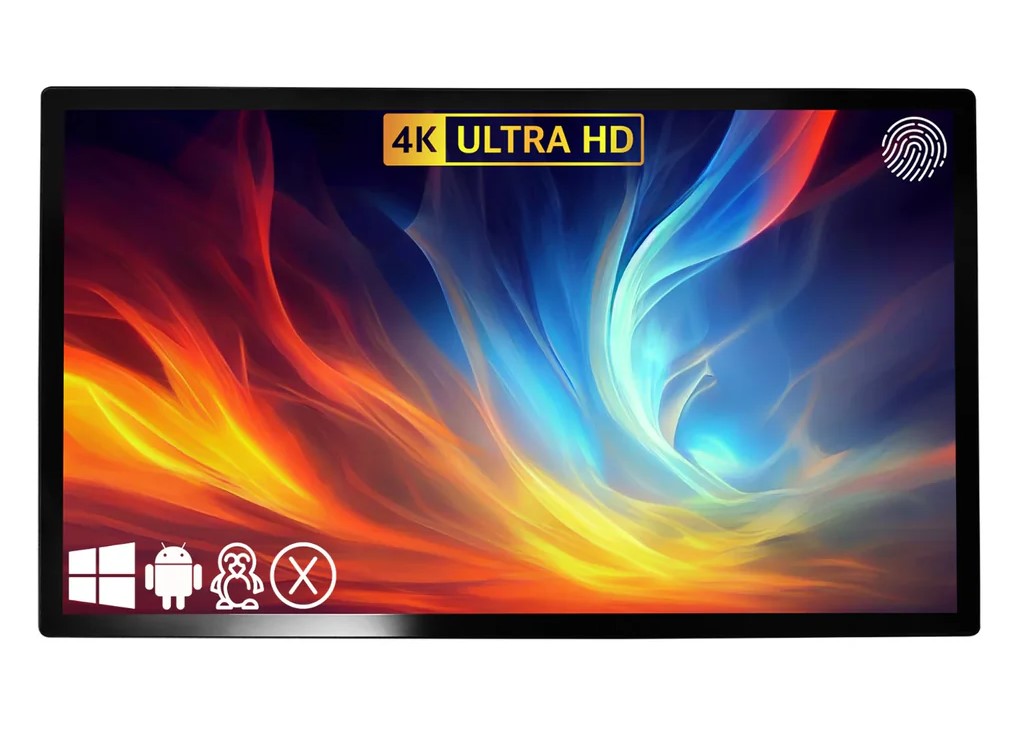
Quick buy: TouchscreenGuru touchscreens
- TouchscreenGuru touchscreensGSV code for TouchscreenGuru: GSV5.
Buying through GSV's links and codes helps support the channel: GSV earns a small commission at no extra cost to you, and you still get every saving available.
Bottom Line
Most golfers building a home simulator or commercial bay reach for whatever consumer monitor is on sale. The TouchscreenGuru Ultra-Series is what happens when you build a touchscreen monitor from the ground up for environments where it runs all day, gets touched by sweaty gloves, sits in rooms with overhead lighting, and needs to still be working in three years.
500+ nits of brightness. Anti-glare AND anti-fingerprint nano-coating. TRU-Flat IP65 sealed glass. 50,000-hour fanless design. 3-year warranty with advanced replacement. None of those specs exist on a consumer monitor from Best Buy. TouchscreenGuru designs and manufactures their own panels — they are not reselling someone else's product. That shows in the build quality and it shows in the warranty. Use code GSV5 at checkout to save.
Save on any Ultra-Series monitor with Jay's code
Works on all sizes — 27" through 65"More from Jay on this topic
Full 27" Ultra-Series Review — FHD vs 4K Side by Side
Jay walks through both the FHD and 4K versions of the 27" Ultra-Series — unboxing, spec walkthrough, real simulator software demonstration in GSPro, E6 APEX, and Trackman, and the honest take on whether you need 4K or whether FHD does the job.
Jay Tests the 43" Ultra-Series — Is Bigger Better?
The 43" is the monitor Jay recommends for commercial bays and larger home simulator setups. It brings the same commercial-grade specs as the 27" — 500+ nits, anti-glare, anti-fingerprint, IP65 sealed glass — but at a scale that transforms the side-station experience. Watch Jay's hands-on review:
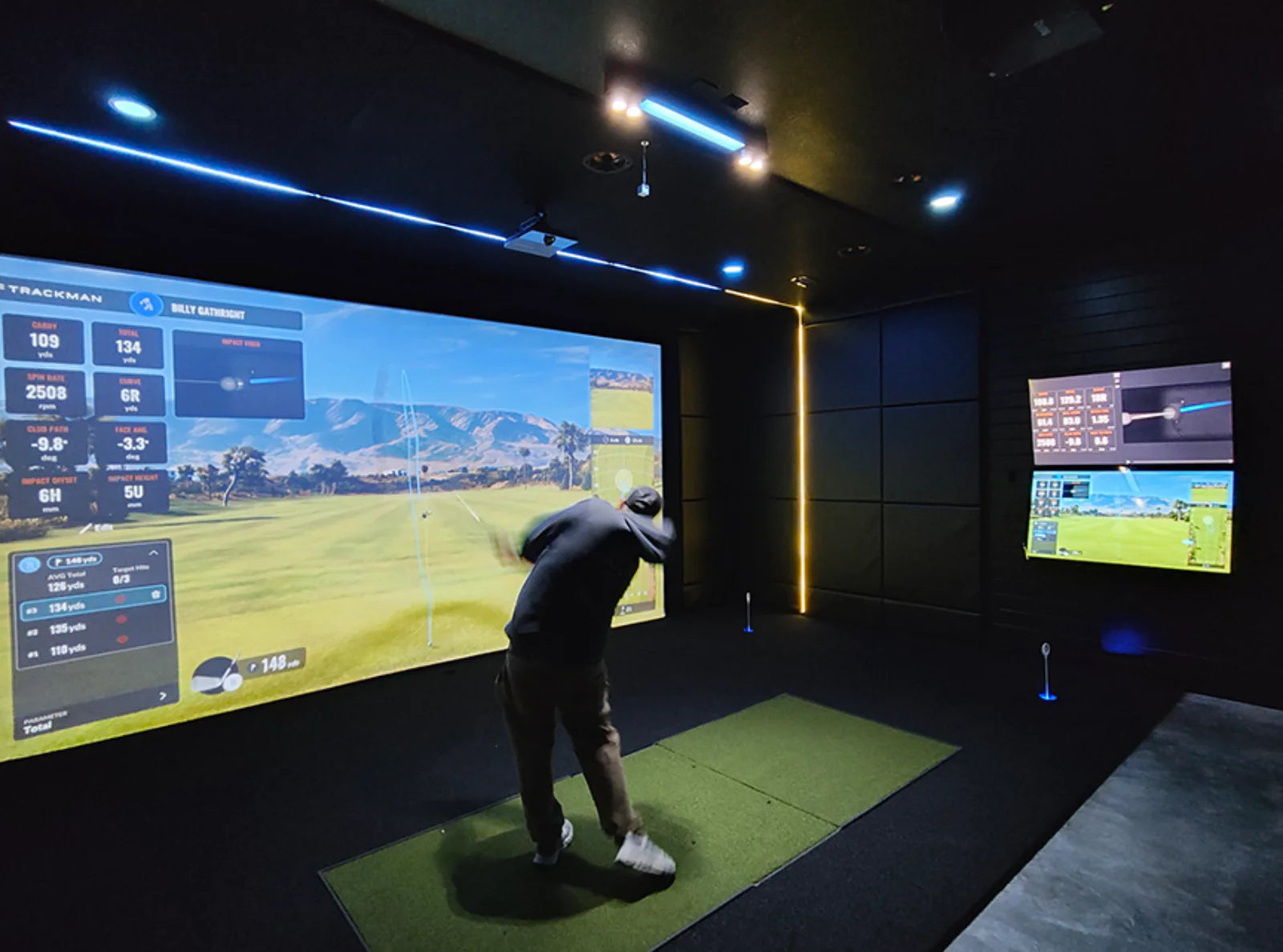
Why Consumer Monitors Fail in Simulator Bays — and What TSG Does Differently
A consumer monitor from Amazon is designed for a home office. It runs for 8 hours a day, sits in a temperature-controlled room, and gets touched occasionally with clean fingers. A golf simulator bay is a completely different environment.
- Overhead lighting causes glare on glossy consumer screens — distracting during play and impossible in bay setups with ceiling lights
- Golf gloves leave grease and fingerprints on standard glass that accumulate across sessions
- Commercial bays run all day — 8-12 hours of continuous operation kills a consumer monitor within months
- Consumer warranties are 1 year — and rarely include advance replacement
TouchscreenGuru designs and manufactures their own panels. The LG NANO IPS glass, the anti-glare treatment, the anti-fingerprint nano-coating, the IP65 sealed front, the fanless 50,000-hour thermal design — these are deliberate commercial engineering choices, not features borrowed from a TV brand.
How the Ultra-Series Compares to Consumer Monitors on Every Key Spec
500+ nits. Anti-glare. Anti-fingerprint. 3-year warranty. Use code GSV5 to save on any Ultra-Series size.
→ Shop Ultra-Series — Use GSV5Ultra-Series Lineup — 27" to 65"
All five Ultra-Series sizes share identical core specs — same LG NANO IPS panel technology, same 500+ nits brightness, same anti-glare and anti-fingerprint treatments, same IP65 sealed front, same 3-year warranty. The only differences are physical size and price.
27" Ultra-Series
$999- Best for: Tight home sim setups
- Resolution: 3840 x 2160 4K
- Brightness: 500+ nits
- Panel: LG NANO IPS AHVA
- Touch: 10-point PCT
- Warranty: 3 years
32" Ultra-Series
$1,199- Best for: Home sim & small commercial
- Resolution: 3840 x 2160 4K
- Brightness: 500+ nits
- Panel: LG NANO IPS
- Touch: 10-point PCT
- Warranty: 3 years
43" Ultra-Series
$1,629- Best for: Commercial bays & large home sims
- Resolution: 3840 x 2160 4K
- Brightness: 500+ nits
- Panel: LG NANO IPS
- Touch: 10-point PCT
- Warranty: 3 years adv. replacement
| Size | Price | Resolution | Brightness | Touch Points | Warranty | Best Use Case |
|---|---|---|---|---|---|---|
| 27" | $999 | 4K UHD | 500+ nits | 10-point PCT | 3 years | Home sim, tight spaces, desk mount |
| 32" | $1,199 | 4K UHD | 500+ nits | 10-point PCT | 3 years | Home sim, small commercial bays |
| 43" | $1,629 | 4K UHD | 500+ nits | 10-point PCT | 3 years adv. | Commercial bays, large home builds |
| 55" | $2,199 | 4K UHD | 500+ nits | 10-point PCT | 3 years | Large commercial bays, multi-player |
| 65" | $2,499 | 4K UHD | 500+ nits | 10-point PCT | 3 years | Premium commercial installations |
Jay's pick for most setups is the 43" — it hits the sweet spot of presence without overwhelming a typical bay, and the added screen real estate at the side station makes course navigation, club selection, and scorecard management noticeably more comfortable than on a 27".
What the Ultra-Series Does That Consumer Monitors Cannot
500+ Nit LG NANO IPS Panel
Over double the brightness of a standard desktop monitor. Overhead bay lighting, windows, ceiling LEDs — none of it washes out the display. Clear visuals regardless of how your room is lit.
Anti-Glare Surface Treatment
Specialized AG coating diffuses light reflections across the surface rather than reflecting them back at the golfer. The difference between a glossy and matte finish — crucial in a bay with overhead lighting.
Anti-Fingerprint Nano-Coating
AF nano-coating minimizes grease transfer from hands and golf gloves. On a monitor that gets touched hundreds of times per session, this is not a minor detail — it is what keeps the screen clean and readable.
TRU-Flat IP65 Sealed Front Glass
Zero-bezel sealed front rated for dust and moisture resistance. Cleans easily with standard cleaning products. Resists the accumulation of dust and debris in high-traffic bay environments.
10-Point Touch with Glove Support
Projected capacitive 10-point multi-touch supports fingers, stylus, and golf gloves including nitrile, latex, and vinyl. Full menu navigation and control without removing gloves between shots.
3-Year Warranty with Advanced Replacement
The best warranty in the category by a wide margin. Most competitors offer 1 year. Advanced replacement means TSG ships your replacement unit before you return the defective one — no downtime for commercial operators.

Works with Every Major Simulator Platform
The Ultra-Series is plug-and-play compatible with all major golf simulator software platforms. No drivers, no configuration, no compatibility issues — connect via HDMI, DisplayPort, or USB-C and it works.
- TrackMan — verified compatible
- Uneekor — verified compatible
- Foresight Sports (GCQuad, GC3, FSX) — verified compatible
- FlightScope — verified compatible
- SkyTrak — verified compatible
- GSPro — verified compatible
- TruGolf E6 Connect & APEX — verified compatible
- Full Swing, HD Golf, aboutGOLF, Golfzon — verified compatible
Supported operating systems: Windows, macOS (driver required), Linux, Android. The USB-C connection on the 27" also handles video + touch + power in a single cable — clean cable management for permanent installations.
Jay's Take: I have connected this monitor to TrackMan, Uneekor, and GSPro. Every time it is the same story — plug in, it works. No configuration headaches. That matters in a commercial bay where you might be setting up multiple stations and the last thing you need is a driver issue.
The Ultra-Series Is Right for Two Very Different Buyers
🏠 Home Simulator Builders
- You want a side monitor that genuinely lasts — not a consumer TV that fails in 18 months
- Your bay has overhead lighting and you are tired of glare on a glossy screen
- You play in golf gloves and want touch that actually works with them
- You want 4K clarity for course menus, data displays, and scorecard navigation
- You are building once and want a 3-year warranty with no hassle replacement
- You want a monitor that the same brands your launch monitor runs on (Trackman, Uneekor, etc.) recommend
🏆 Commercial Bay Operators
- You run a golf facility, training studio, sports bar, or multi-bay commercial setup
- Your monitors run 8-12+ hours per day and need the 50,000-hour MTBF to back it up
- Downtime is revenue loss — advanced replacement warranty is not optional
- Multiple users, golf gloves, high-traffic use — IP65 sealed glass and anti-fingerprint coating matter operationally
- You need a vendor that designs and manufactures their own product and stands behind it
- Custom solutions available for large installations
Home builder or commercial operator — the code is the same. Use GSV5 at TouchscreenGuru for savings on any Ultra-Series size.
→ Shop Ultra-Series — Code GSV5TouchscreenGuru Ultra-Series — Pros and Cons
- 500+ nits — more than double standard consumer monitors
- Anti-glare AND anti-fingerprint nano-coating — both, not one
- TRU-Flat IP65 sealed front glass
- LG NANO IPS commercial panels — not consumer LCD
- 10-point touch works with golf gloves
- 50,000-hour fanless MTBF — built for 24/7 operation
- 3-year warranty with advanced replacement
- Plug-and-play with every major simulator platform
- Five sizes 27" through 65"
- Designed and manufactured by TouchscreenGuru — not a reseller
- Save with code GSV5
- Higher price than consumer monitors — intentional given the commercial specs
- macOS requires a driver installation (Windows and Linux are plug-and-play)
- No built-in speakers — external audio required
- 43" and larger require VESA wall or arm mount for permanent bay installations (stand included but wall mount is separate)
TouchscreenGuru Ultra-Series FAQ
What is the discount code for TouchscreenGuru monitors?
Use code GSV5 at checkout on the official TouchscreenGuru store for savings on any Ultra-Series monitor. You can also use Jay's direct affiliate link which applies the discount automatically. The code works on all sizes from 27" through 65".
What size TouchscreenGuru monitor should I get for my golf simulator?
For most home simulator setups, the 27" or 32" is ideal as a side station monitor running your simulator software, course menus, and data display. For commercial bays or larger home builds where the monitor is more prominently positioned, the 43" is Jay's recommendation — it provides significantly more comfortable navigation without overwhelming the space. For multi-bay commercial operations, the 55" and 65" make sense as primary display stations.
Does the TouchscreenGuru monitor work with GSPro, Trackman, and E6?
Yes — the Ultra-Series is plug-and-play compatible with all major golf simulator platforms including GSPro, TrackMan, Foresight Sports (FSX, GCQuad, GC3), Uneekor, SkyTrak, TruGolf E6 Connect and APEX, FlightScope, Full Swing, HD Golf, aboutGOLF, and Golfzon. Connect via HDMI, DisplayPort, or USB-C and it works without configuration on Windows. macOS requires a brief driver installation.
Why does a golf simulator touchscreen need anti-glare coating?
Golf simulator bays typically have overhead lighting — ceiling LEDs, recessed lights, or natural light from windows. Without anti-glare treatment, overhead light reflects off the monitor surface toward the golfer, creating distracting glare and reducing readability. The Ultra-Series AG surface treatment diffuses these reflections across the glass surface rather than bouncing them directly back. Think of it as a matte vs glossy finish difference — except applied to a professional commercial panel.
What does the TouchscreenGuru 3-year advanced replacement warranty mean?
Advanced replacement means that if your monitor develops a fault under warranty, TouchscreenGuru ships your replacement unit to you first — before you return the defective unit. For commercial operators this is critical because downtime means lost revenue. Most consumer monitor warranties require you to ship the unit back and wait for a replacement, creating days or weeks of downtime. The Ultra-Series 3-year advanced replacement warranty eliminates that risk entirely.
Does the touchscreen work with golf gloves?
Yes. The Ultra-Series uses projected capacitive 10-point multi-touch technology that supports fingers, capacitive styluses, and golf gloves including nitrile, latex, and vinyl gloves. This is specifically relevant for simulator use where players may want to navigate menus and select clubs without removing their gloves between shots. Standard consumer touchscreens often fail to register glove inputs reliably.
How does the TouchscreenGuru monitor compare to a regular consumer monitor for a golf simulator?
The key differences are brightness (500+ nits vs ~250 nits on consumer monitors), surface treatments (anti-glare + anti-fingerprint vs none), build quality (IP65 sealed commercial glass vs standard consumer glass), operating life (50,000-hour MTBF fanless design vs consumer-grade components), and warranty (3-year advanced replacement vs typically 1-year standard). TouchscreenGuru designs and manufactures their own panels — they are not reselling a consumer product with a markup. The difference is most noticeable in commercial bay environments where the monitor runs all day and gets heavy use, but home builders who want a monitor that lasts will notice the quality gap immediately.
Questions about which size is right for your bay? Email Jay for free advice before you buy.
✉ Email Jay FreeReady to Order? Use Jay's Code.
Works on all Ultra-Series sizes — 27" through 65". Click the link to shop with discount applied.
Questions? Email Jay: Email Jay
Build the rest of your sim
- Enclosure and screen$250 off at Shop Indoor GolfShop
- Carl's Place enclosure5% off, code sent by emailShopGet the code
- Hitting mat$20 off at Shop Indoor GolfShop
- Projector5% off at Shop Indoor Golf. First-time buyersShop
- Simulator computerSurfThing: $100 off applied automatically, no codeShop
- Complete package$250 off at Shop Indoor GolfShop
GSV earns a small commission on these links, at no extra cost to you. Shop Indoor Golf takes one code per order.