
ProTee VX AI Swing Trainer — Full Body Tracking & AI-Powered Swing Analysis Built Right In
The ProTee VX now includes an AI Swing Trainer powered by GolfSwings.ai technology. Using the two included swing cameras and ProTee Labs, it tracks your full body movement and delivers AI-powered improvement tips with instructional videos — all included with the unit, no extra hardware required.
Quick buy: ProTee VX
- ProTee VXPriced by GSV as part of a package. Email Jay at GSV before you order.
Buying through GSV's links and codes helps support the channel: GSV earns a small commission at no extra cost to you, and you still get every saving available.
Jay's Full Walkthrough — ProTee VX AI Swing Trainer
Jay walks through the ProTee VX AI Swing Trainer from inside ProTee Labs — showing the full body tracking analysis, how the GolfSwings.ai integration surfaces improvement areas, and what the instructional video feedback looks like in practice. Watch this first before reading the breakdown below.
Full Body Tracking + AI Analysis — Built Into ProTee Labs
The ProTee VX AI Swing Trainer is a swing analysis feature built directly into ProTee Labs — the software platform included with every ProTee VX. It uses the two swing cameras that come with the unit to capture your full body movement during the swing, then applies GolfSwings.ai technology to analyze what it sees and identify areas for improvement.
The result is a full body tracking analysis paired with AI-generated coaching feedback and instructional videos showing you specifically what to work on. This is not a generic tip system — it analyzes your actual swing and surfaces targeted feedback based on what the cameras see.
It is currently in Public Beta as part of the latest ProTee Labs release. ProTee is actively refining the feature and updates are rolling out continuously. Jay has it running in his studio and covers exactly what it looks like in the video above.
- Built into ProTee Labs — no separate app or hardware needed
- Uses the 2 included swing cameras — no extra purchase required
- Full body tracking analysis of your actual swing
- GolfSwings.ai technology surfaces improvement areas
- Instructional videos paired with each feedback point
- No subscription required for ProTee Labs
- Currently Public Beta — actively improving with updates

What the ProTee VX AI Swing Trainer Actually Includes
Here is what is included in the current Public Beta release of the AI Swing Trainer inside ProTee Labs:
Dual Camera Swing Capture
The two swing cameras included with the ProTee VX capture your full swing from two angles simultaneously. No additional hardware purchase required — the cameras are part of the standard ProTee VX package.
Full Body Tracking Analysis
ProTee Labs analyzes the camera footage and tracks your full body movement through the swing — not just club or ball data. This gives the AI system real information to work with rather than estimated positions.
GolfSwings.ai Integration
The AI analysis is powered by GolfSwings.ai technology. The integration identifies specific areas of your swing that can be improved based on what the body tracking data shows from your actual shots.
Instructional Video Feedback
For each improvement area identified, the system surfaces instructional videos showing you specifically what to work on. The feedback is tied to your swing data — not generic tips.
ProTee Labs Integration
Everything runs inside ProTee Labs — the same platform you already use for launch monitor data, course play, and practice. No switching between apps or platforms to access the swing analysis.
Active Public Beta Updates
The AI Swing Trainer is in Public Beta and ProTee is continuously refining it. Updates roll out through the standard ProTee Labs update system. Features and accuracy will improve over time with each release.
On GolfSwings.ai standalone pricing: The GolfSwings.ai app integration with ProTee Labs is not yet fully complete. It is currently unclear whether GolfSwings.ai will eventually offer a standalone app subscription separate from the ProTee Labs integration. Jay will update this page as more information becomes available. What is confirmed: ProTee Labs itself has no subscription requirement for ProTee VX owners.
Swing Path Video + AI Analysis — A Powerful Combination
One of the unique advantages of the ProTee VX is that it combines overhead launch monitor data with swing camera video and now AI analysis — all inside ProTee Labs. The Swing Path Video feature visually shows the club path through impact, which pairs directly with the AI Swing Trainer's body tracking analysis to give you a complete picture of what is happening both with the club and with your body during the swing.
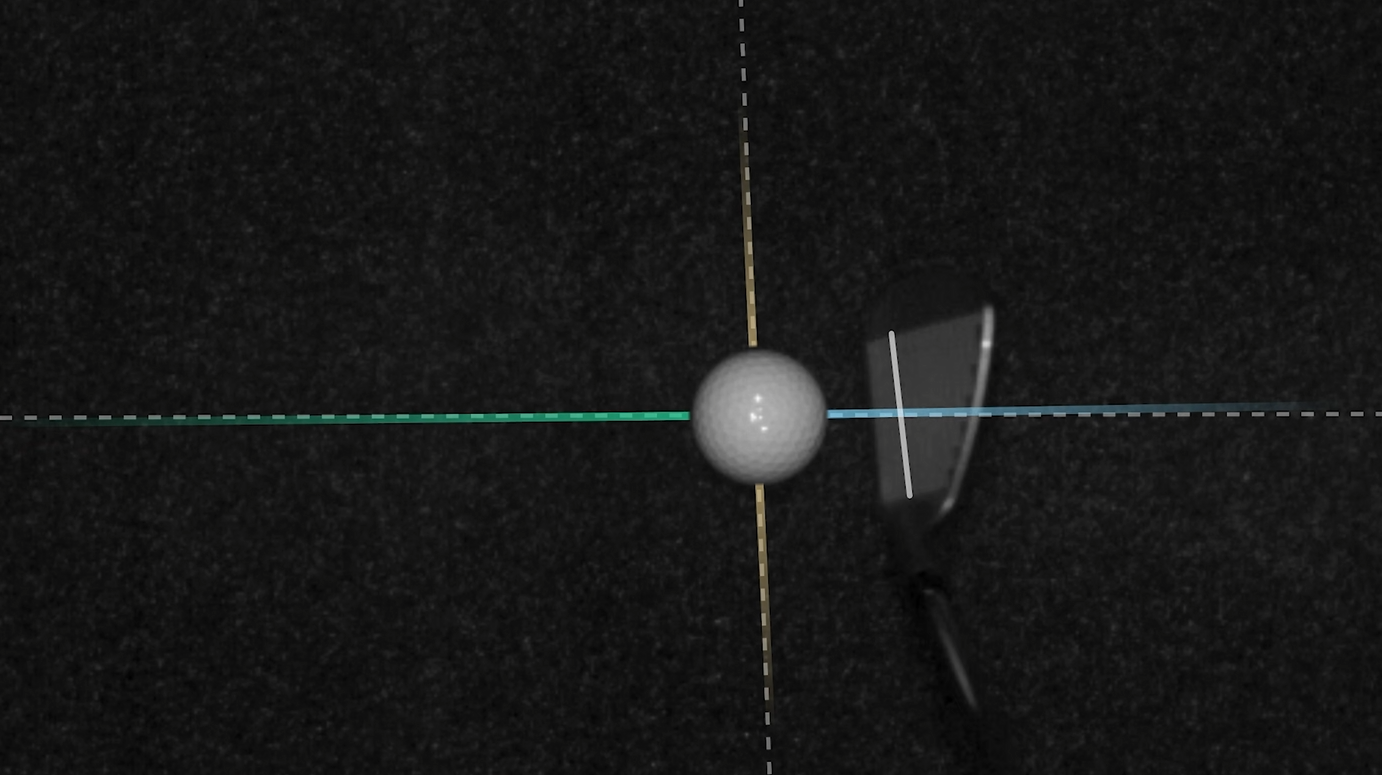
Where most launch monitors give you ball and club data as numbers, the ProTee VX visualizes the club path through the hitting zone while the swing cameras capture what your body is doing. Feed that into the GolfSwings.ai analysis and you have three complementary data streams — overhead launch data, club path video, and full body tracking — all telling you something different and useful about the same swing.
GolfSwings.ai — What the App Feedback Looks Like
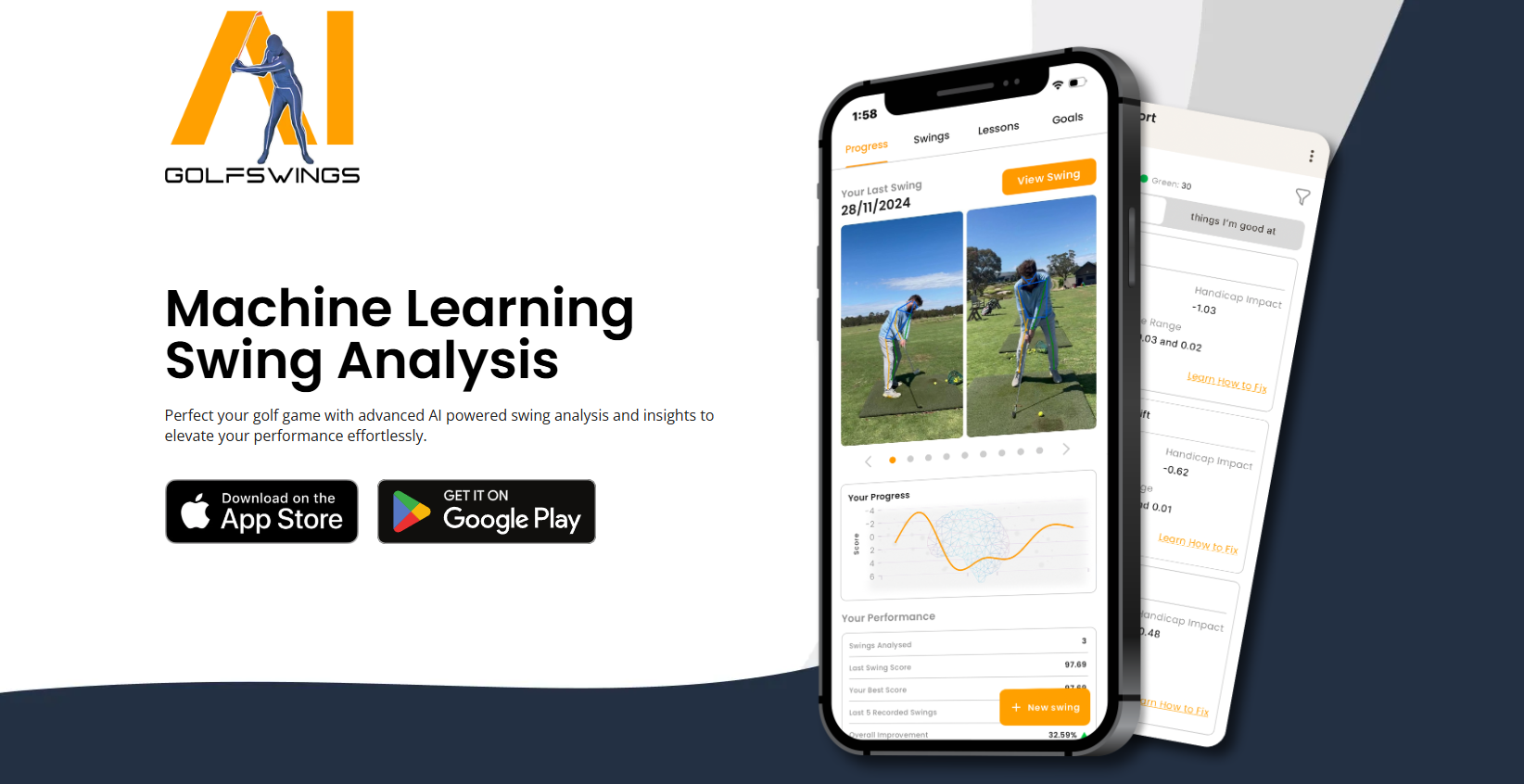
The GolfSwings.ai integration surfaces AI-generated improvement areas based on your body tracking data and pairs each one with instructional video content. The feedback is specific to what the cameras captured from your swing — not generic coaching tips.
The standalone GolfSwings.ai app and its eventual pricing structure is still being finalized. What is available now is the integration inside ProTee Labs, which requires no separate subscription for ProTee VX owners.
Interested in a ProTee VX build? Jay's partners offer custom package deals on garage builds, budget builds, and higher-end home simulator setups.
✉ Email Jay — Free ConsultationHow the AI Swing Trainer Works Inside ProTee Labs
The workflow is straightforward once your ProTee VX is set up and the swing cameras are positioned:
Open ProTee Labs on Your PC
The AI Swing Trainer is accessed directly inside ProTee Labs — the software platform included with every ProTee VX. Make sure you are running the latest Public Beta release which includes the AI Swing Trainer feature.
Position Your Swing Cameras
The two swing cameras included with the ProTee VX need to be positioned to capture your full body during the swing. Jay covers the optimal camera positioning in his video above. No additional cameras or hardware are required beyond what comes in the box.
Hit Shots — Cameras Capture Your Swing
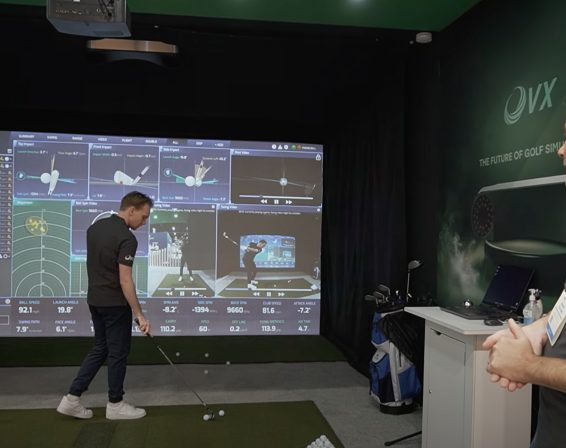
Hit your shots as normal. The swing cameras capture your full body movement simultaneously with the overhead launch monitor data. ProTee Labs processes both streams together.
Review the AI Analysis
ProTee Labs runs your swing footage through the GolfSwings.ai body tracking system. The analysis identifies specific areas of your swing mechanics that can be improved based on what the cameras actually captured — not generic observations.
Watch the Instructional Videos
For each improvement area flagged by the AI, the system surfaces instructional videos showing you what to work on and how to make the adjustment. The feedback is tied directly to your swing analysis results.
Jay's Take: This is a genuinely useful feature and it is only going to get better as ProTee refines the AI over time. Having full body swing analysis built into the same platform where you are already tracking your launch monitor data and playing courses is a real advantage over separate swing analysis apps. Watch the video above to see exactly what it looks like in action.
Overhead Mounting + Launch Monitor Data + AI Swing Analysis — One Unit
The AI Swing Trainer adds another significant differentiator to the ProTee VX's already strong case. As a ceiling-mounted overhead launch monitor, the ProTee VX already eliminates any unit on the floor beside or behind the golfer — giving you a completely clear hitting space. Add ProTee Labs with no subscription and now AI swing analysis on top of that, and the value proposition is hard to match at the price point.
For comparison, most competing units at the ProTee VX price tier deliver launch monitor data and simulator connectivity. The ProTee VX delivers all of that plus an overhead mount that does not interfere with your setup, ProTee Labs as a full practice platform, and now AI-powered swing coaching built in. Everything through one unit, one software platform, no recurring fees for ProTee Labs features.
- Overhead ceiling mount — completely clear hitting zone
- Full launch monitor data for course play and practice
- ProTee Labs — practice platform with no subscription
- AI Swing Trainer — full body tracking + GolfSwings.ai feedback
- 2 swing cameras included in the box
- GSPro, E6 Connect, and GolfCore (2026) compatible
- Works in garage builds, basement builds, and dedicated sim rooms
Custom package deals available: Jay's partners offer custom ProTee VX packages for garage builds, budget builds, higher-end home simulator builds, and cost-effective DIY setups. Email Jay for pricing — custom packages consistently beat public pricing.
Interested in a ProTee VX Build? Email Jay.
Jay's partners offer custom ProTee VX package deals that are not available publicly. Whether you are building a garage simulator, a dedicated basement sim room, a budget-conscious build, or a higher-end home setup — Jay can put together a complete package at pricing that beats going direct. Free consultation, no obligation.
Packages available for: garage golf simulator builds, budget builds, custom higher-end home builds, and cost-effective DIY packages.
ProTee VX includes the AI Swing Trainer, 2 cameras, and ProTee Labs — no subscription. Email Jay for custom package pricing.
✉ Email Jay — Free ConsultationProTee VX AI Swing Trainer FAQ
Is the AI Swing Trainer included with the ProTee VX?
Yes — the AI Swing Trainer is a feature inside ProTee Labs, which is included with every ProTee VX. The two swing cameras needed to run it also come with the unit. No additional hardware purchase is required to access the AI Swing Trainer.
Does ProTee Labs require a subscription?
No — ProTee Labs has no subscription requirement for ProTee VX owners. All ProTee Labs features including the AI Swing Trainer are included with the unit purchase. There is currently no annual fee to access any ProTee Labs functionality.
Will GolfSwings.ai require a separate subscription?
This is not yet confirmed. The GolfSwings.ai app integration with ProTee Labs is still being developed and it is unclear whether GolfSwings.ai will eventually offer a standalone app subscription separate from the ProTee Labs integration. Jay will update this page as more details become available. What is confirmed right now: accessing the AI Swing Trainer through ProTee Labs requires no subscription.
Is the AI Swing Trainer fully released or still in beta?
The AI Swing Trainer is currently in Public Beta as part of the latest ProTee Labs release. ProTee is actively refining the feature and updates are rolling out continuously. Jay has it running in his studio and covers the current state in the video above. As with any beta feature, accuracy and functionality will improve over time.
What cameras does the ProTee VX AI Swing Trainer use?
The ProTee VX comes with two swing cameras included in the box. The AI Swing Trainer uses these cameras to capture your full body movement during the swing. No additional cameras or accessories need to be purchased to use the AI Swing Trainer feature.
How do I get the best ProTee VX pricing?
Email Jay at Email Jay for custom ProTee VX package pricing. His partners offer deals on complete builds — garage simulator builds, budget builds, higher-end home simulator setups, and DIY packages — that are not available publicly. Free consultation included, no obligation.
The Best Overhead Simulator Just Got a Lot More Capable.
Email Jay for a free ProTee VX consultation and custom package pricing. Garage builds, budget builds, higher-end home setups, and DIY packages all available through Jay's partner network.
✉ Email Jay — ProTee VX Custom Package → ProTee VX vs Uneekor EYE XO2 Comparison → Garage Golf Simulator Build GuideWhere to buy the ProTee VX
- ProTee VXPriced by GSV as part of a package. Email Jay at GSV before you order.
Will it fit? Check the ProTee VX fits your room in the free GSV Sim Builder, in 3D.
Free consultation. GSV's partner master builders, hand-picked by Jay, get on a call quickly and make sure everything fits, with package deals, DIY packages, full installation and more.
Get a free consultationPrices are on the shop's page.
Build the rest of your sim
- Enclosure and screen$250 off at Shop Indoor GolfShop
- Carl's Place enclosure5% off, code sent by emailShopGet the code
- Hitting mat$20 off at Shop Indoor Golf. GSV5OFF is more on a first order over $400Shop
- Projector5% off at Shop Indoor Golf. First-time buyersShop
- Simulator computerSurfThing: $100 off applied automatically, no codeShop
- TouchscreenGSV code for TouchscreenGuruShop
- Complete package$250 off at Shop Indoor Golf. GSV5OFF is more on a first order over $5,000Shop
GSV earns a small commission on these links, at no extra cost to you. Shop Indoor Golf takes one code per order.