The full guide: Uneekor golf simulator guide
AIMY is Uneekor's new AI golf swing analyzer: it watches each swing through the Swing Optix cameras, scores it, names the one thing to work on, and talks you through it out loud. It is now in public beta for Uneekor owners. Jay Lasco, host of Golf Simulator Videos, went in with a fault he already knew about, an inside takeaway, to see whether AIMY would find it and whether it could help fix it. It found it on the first swing, and by the fourth it confirmed the takeaway had improved.
AIMY needs a Uneekor launch monitor and Uneekor's Swing Optix cameras. Uneekor says beta access is open to AI Trainer members for a limited time.
Uneekor launch monitors at Shop Indoor Golf
- Uneekor EYE XO25% off at Shop Indoor Golf with code GSV5OFF.First-time buyers only, one use. Not valid on a standalone Trackman, the Square Golf launch monitor or the ProTee VX.
- Uneekor EYE XR5% off at Shop Indoor Golf with code GSV5OFF, first-time buyers.
Will it fit? See each in your room in the free GSV Sim Builder, in 3D: EYE XO2, EYE XR.
Buying through GSV's links and codes helps support the channel: GSV earns a small commission at no extra cost to you, and you still get every saving available.
5% off at Shop Indoor Golf
First-time buyers only, one use. Not valid on a standalone Trackman, the Square Golf launch monitor or the ProTee VX.
Code last checked October 9, 2026.
Plan your simulator in 3D Uneekor guide
- Public betaOpen to AI Trainer members for a limited time, says Uneekor
- 92Jay's first swing score, with an inside takeaway detected
- 4 swingsFrom "detected" to "improvement confirmed"
- 120 fpsWhat the Swing Optix cameras record at for AIMY
What is Uneekor AIMY?
Uneekor calls AIMY its "AI golf agent". Its own description, from September 29, 2026, lists five parts:
- SwingChat. A language model reads each shot and talks you through the main issue in plain speech.
- Driving Range. A 3D range to hit into while you work.
- Analysis. The Swing Optix cameras capture the swing, and lines and diagnoses are drawn on the video right after the shot.
- Compare. The moment AIMY diagnosed in your swing, side by side with a pro's swing at the same moment.
- Focus Mode. You pick one issue, and AIMY checks for it after every shot.
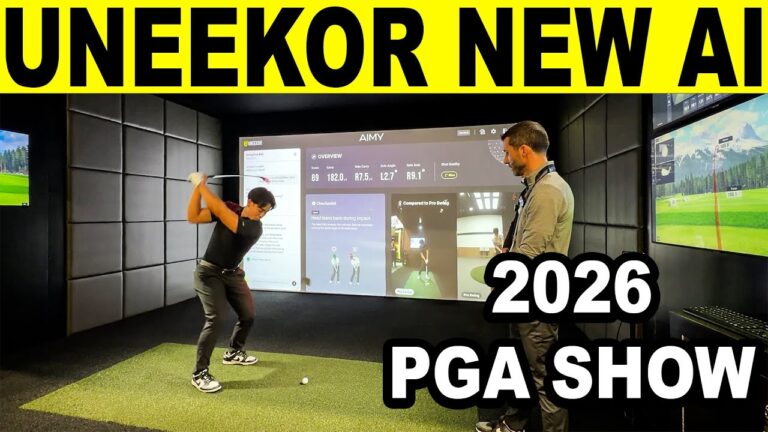
Jay first showed AIMY as a preview from the PGA Merchandise Show. This is the public beta, so some of it will change. It builds on AI Trainer, Uneekor's swing scoring, and sits beside the written Uneekor AI Report GSV tested earlier.
What AIMY needs
| You need | Detail |
|---|---|
| A Uneekor launch monitor | Uneekor says the Swing Optix cameras work with Uneekor launch monitors only. Jay used a ceiling-mounted EYE XO2 |
| Swing Optix cameras | "Swing Optix or Swing Optix 2.0 is required to use AIMY", says Uneekor. Jay used two: face on and down the line |
| AI Trainer | Beta access is for AI Trainer members. AI Trainer comes with the Champion and Ultimate memberships, or is $99 a year on its own |
| A Windows PC | Windows 10 or 11, with a USB port for each camera |
| A microphone | Only if you want to ask AIMY questions out loud. There is a mic check in the settings |
Uneekor also sells AIMY Studio, a package of two Swing Optix 2.0 cameras with tripods, lenses and cables and a one-year AI Trainer license, listed at $999. Requirements and prices are from Uneekor's site, read November 12, 2026. The Uneekor guide has every launch monitor and membership.
The short answer
- It found the real fault. Jay knew his takeaway was too far inside. AIMY named it as the main issue on the first swing, without being told.
- It picks one thing. One diagnosis, one feel to work on, then drills and a reference video if you ask.
- You can talk to it. Ask for a drill or about a low score, out loud, and it answers in a few seconds.
- Focus mode keeps it on task. It watched only the takeaway, swing after swing, and said plainly when it was still there.
- The takeaway improved in four swings. The strikes did not: changing the move cost Jay contact at first.
- It is a beta. In Focus mode AIMY kept steering other questions back to the takeaway until Focus was turned off.
The first swing: AIMY finds the inside takeaway
Jay made his normal swing, inside takeaway included, and hit a push draw. After a few seconds AIMY read out the result:
- Swing score: 92, shot shape draw.
- Diagnosis: an inside takeaway, detected in the takeaway phase.
- The fix it gave: picture the club head moving along the target line, and let the upper body's turn move the club while it stays in front of the body, rather than pulling it in with the arms.
That is the same fault viewers have pointed out in GSV's comments, and the one AI Trainer flagged in the AI Report test.
Talking to AIMY: drills and reference videos
Jay asked out loud for drills to help the inside takeaway. AIMY answered with the alignment stick drill: lay a stick on the ground along the target line, and take the club back so the head stays over the stick to the first parallel position, feeling the chest turn the arms.
- Reference video. AIMY then put a reference video prompt on screen. One click played a short clip explaining the fault and the right move.
- Drill videos. The whole drill library is open at any time, filtered by part of the swing. Under takeaway it lists early wrist hinge, inside takeaway, lack of wrist hinge and outside takeaway.
- Voices. AIMY's voice and volume are in the settings.
Swing scores by area, and Focus mode
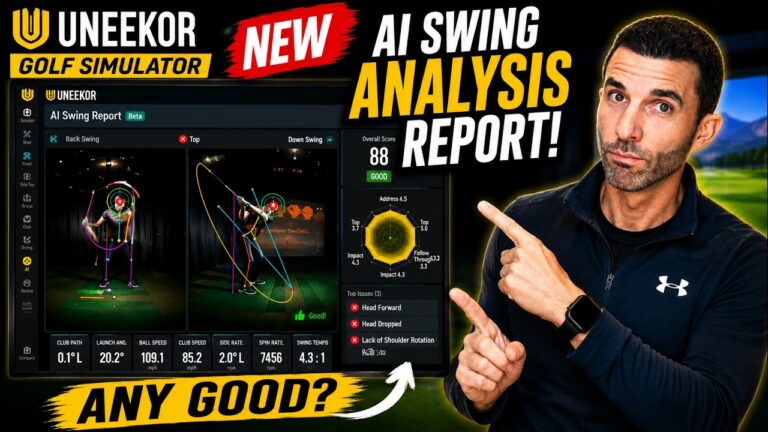
A chart scores the swing by area, which made the weak spot easy to see: shot quality, swing plane and forward stability were good, and the takeaway was the low one. Opening it lists every issue AIMY found, not only the main one. Jay's list also had dropped elbows and excessive forward trunk tilt.
Pick an issue and press Focus, and AIMY confirms out loud that it will keep an eye on the inside takeaway. From then on it reports on that one thing after each swing instead of jumping between faults.
Analysis and Compare
- Playback. Slow motion, dragging through the swing, and jumping to each position.
- AI tracing. The tracing can be turned off or on, and single lines can be picked for each camera: a swing tracer on the face-on view and head position on the down-the-line view, for example.
- Tracking in a dark room. Jay wore a black shirt and gray pants with the lights on, and AIMY tracked his body and the club well. Club data still comes from the launch monitor.
- Drawing tools. Lines, squares and areas drawn by hand over the video, which suits a coach working with a student.
- Compare. Jay's takeaway beside a pro's at the same point. The pro moves the club almost outside the ball, and Jay's hands turn over and take it inside.
The screen and the settings
| Setting | What it does |
|---|---|
| Data bar | Choose which numbers show along the bottom. Jay picked the core data: path, face angle and carry |
| Auto screen switching | Shows Analysis or Compare for 10 seconds after each shot |
| Multi-view | Puts Analysis or Compare in its own window for a second or third monitor. The interface can also be hidden for a clean screen |
| Layout | Ball follow, where the camera follows the shot, or instant shot, where the trace appears at once |
| Other | Language, sounds, a mic check, and an offset for the room |
Camera setup for AIMY
- Height and line. Jay sets his cameras at about hand height, square to the swing and right down the line of his hands. Cameras on big angles can lead to a wrong trace.
- Frame rate. AIMY runs the cameras at 120 frames a second, which is enough to track the body and the club.
- Exposure. Jay turned the exposure all the way up, then adjusted contrast and brightness on each camera, and gamma slightly on one. Set them for how the tracking performs, not only for how the picture looks.
- Uneekor's own guide: face on at least 5 ft from the ball, in line with the driver tee, down the line at least 6 ft behind it, and both about 3.6 ft high.
Did it fix the swing?
| Swing | What AIMY said | The strike |
|---|---|---|
| 1 | Inside takeaway detected. Score 92 | Push draw |
| 2 | "The inside takeaway was detected in this swing" | A little thin |
| 3 | "A clear improvement in inside takeaway is visible" | Not Jay's best |
| 4 | "Improvement in the inside takeaway pattern has been confirmed" | Better contact, a little off the toe |
Swing 2 looked better to Jay, and AIMY still called it detected. It did not hand out an improvement until the move had changed enough, which is what he wanted from it. On the Compare view the two lines, his takeaway and the pro's, moved much closer together.
The strikes got worse before they got better. Jay's coach taught him not to judge a swing change by the shot: work on the one thing, take it to the extreme, then bring it back in little by little. A lower swing score is fine if AIMY says the thing you are working on improved.
A Focus mode catch
With the takeaway improving, Jay asked AIMY about his next weak area, stability. It answered that the stability score dips from posture changes, naming reverse spine angle and over the top, and gave his address a score of 90. Asked for a posture drill, it described the wall posture drill.
When he asked for the video, AIMY played the takeaway video again, because Focus was still set to the inside takeaway. He cleared Focus and asked again. AIMY then asked which checkpoint he wanted, and after he picked loss of spine angle it played the right one.
The tip: turn Focus off before you ask AIMY about anything else.
What Jay is passing on to Uneekor
- Let auto screen switching show both: 10 seconds of Analysis, then 10 seconds of Compare.
- When AIMY names a drill, offer its video straight away.
- When a question drifts away from the Focus topic, have AIMY ask whether to turn Focus off.
Uneekor is asking for feedback during the beta, so if you own a Uneekor it is worth trying and telling them what you find.
More Uneekor from GSV
- Uneekor golf simulators: every launch monitor, price and room size
- Uneekor AI Report review: the written AI swing analysis after 10 shots
- Uneekor EYE XO2 review: the launch monitor in this video
- Uneekor discount code
- GSV's free golf swing analyzer: reads a swing video in your browser, with no launch monitor
Free consultation with GSV's partner builders
Building a simulator round a Uneekor? Jay works with official partners: master builders he hand-picked, who get on a call quickly and make sure you have the right fit before you buy anything. They offer package deals on the whole build, DIY packages to put together yourself, full installation, and more. The consultation is free.
Build the rest of your simulator
- Golf simulator enclosures and screens$250 off at Shop Indoor Golf with code GSV250.SIG8, SIG10 and SIG12 enclosures and studios, DIY and commercial enclosures, G-TRAK screens, SIGPRO flooring and complete simulator packages.
- Carl's Place enclosures and screens5% off at Carl's Place. GSV emails you the code.
- Golf hitting mats$20 off at Shop Indoor Golf with code GSVMAT. On a first order over $400, GSV5OFF takes more: 5% off.SIGPRO Softy, Super Softy, Softy Lite and Commercial Teeline mats.
Uneekor AIMY questions
What is Uneekor AIMY?
AIMY is Uneekor's AI golf swing analyzer, which Uneekor calls its AI golf agent. It watches each swing through the Swing Optix cameras, gives a swing score, names the main issue, and talks you through it, with drills, reference videos and a side-by-side comparison with a pro.
What do you need to use Uneekor AIMY?
A Uneekor launch monitor, Uneekor's Swing Optix or Swing Optix 2.0 cameras, and a Windows 10 or 11 PC with a USB port for each camera. Uneekor says beta access is open to AI Trainer members for a limited time. A microphone is needed only to ask AIMY questions out loud.
Is Uneekor AIMY free?
During the beta, Uneekor says access is open to AI Trainer members. AI Trainer comes with Uneekor's Champion and Ultimate memberships, or is $99 a year on its own, and it needs the Swing Optix cameras. Uneekor has not said what AIMY costs after the beta.
Is AIMY the same as Uneekor AI Trainer?
No. AI Trainer scores each swing and marks what moved on the video. AIMY builds on it: it talks through the main issue, answers questions out loud, suggests drills and videos, and can stay focused on one issue from swing to swing.
Did AIMY find the fault in Jay's swing?
Yes. Jay went in knowing his takeaway was too far inside, and AIMY named an inside takeaway as the main issue on his first swing, with a swing score of 92.
Can Uneekor AIMY fix your swing?
It can show you what to change and tell you when it changes. In GSV's test AIMY still detected the inside takeaway on the second swing, saw a clear improvement on the third and confirmed it on the fourth. The strikes were worse while Jay made the change, so it takes practice to keep the move and the contact.
What is Focus mode in AIMY?
You pick one issue, such as an inside takeaway, and AIMY checks for it after every swing and reports on that alone. Turn Focus off before asking about something else: with it on, AIMY kept bringing GSV's other questions back to the takeaway.
How should you set up the cameras for AIMY?
Jay sets his at about hand height, square to the swing and down the line of his hands, with the exposure turned up. Uneekor's guide is face on at least 5 ft from the ball, down the line at least 6 ft behind it, and both about 3.6 ft high.
Is there a Uneekor discount code?
Yes. GSV's code GSV5OFF takes 5% off a first order of a Uneekor at Shop Indoor Golf. The Uneekor discount code page has every model before and after the code.
More from GSV
Full video transcript
Today we're back with the Uneekor AIMY AI golf swing analysis. Now, you guys might have seen this preview I've given at the PGA Merchandise Show. Now, it's available in a public beta. So, I encourage you if you're a Uneekor user to go check it out. They're looking for feedback at this point with available public beta. So, just understand that it may not be perfect, but they're improving things, but they feel confident enough to where you can use this. And let me tell you, I tested it out. It's pretty cool. So, first, this is what you're looking at when you launch. It's going to start essentially a swing chat, and I'll go over that here in just a minute. I'm kind of blocking a couple things, but we're going to unblock it. You have a nice little range you're looking at. I am using the Uneekor Swing Optix cameras. I have lights on, even though I'm wearing some dark clothing, which isn't optimal. As long as you have enough light, I'll show you my camera settings. It actually does a very good job tracking the body. And I'm using the Uneekor EYE XO2 ceiling mounted launch monitor. But let's take a shot first and then we'll go through all the settings and kind of UI. Then we'll take another shot and see if we can improve. Now, I have a very bad habit. I've even had people comment on videos saying, "Dude, your inside takeaway is way too much. It's a habit I've had. It's I've like built a swing around it. It's terrible. I'd like to improve it." So, that's what we're going to see if it detects today and then see if we can actually improve it. All right. So, we're going to take a normal swing. I'm going to, you know, do that normal inside takeaway. It might not be the focal point of what it finds. But even if it doesn't, we can dive in and see if it's one of the things that it lists. So that's what happens when you come too far inside. In my opinion, you end up coming way inside with a closed face. Ends up being a big push draw. Takes a second to analyze. Let's see what it comes up with. Your current swing score is 92 and the shot shape is draw. In the current analysis, a inside takeaway diagnosis is being detected in the takeaway phase. If the club rolls too far to the inside during the takeaway, try to picture the club head moving naturally along the target line. Rather than pulling it in with your arms, let your upper body rotation move the club while keeping it in front of your body. Let's go take a look. So, how cool is that? Like I knew it was going to be a problem that it would detect and that's the primary one it does. So the first thing you're going to want to do I'm just going to take my camera down is you probably want to just review all of your data but I'm going to kind of do an around the clock. So you can do a couple things. It's talking about the swing that it just saw. You can actually talk to AIMY. All right. And ask her questions about an inside takeaway. There are settings right here where you can change voices, different volumes everything along those lines as far as AIMY goes, but there's also the ability to talk to AIMY. AIMY, can you show me drills to work on that will help my inside takeaway problem? Give it a second. Preparing response. Try the alignment stick drill. Place a stick on the ground along your target line. Then practice taking the club back so the club head stays directly over the stick during the first parallel position. Feel your chest rotating your arms rather than pulling inside with your hands. Now, how about this? It already gives me a prompt. Can you show me a reference video? So, go ahead and click that. Your hands or arms pull the club head too far inside during the early takeaway? Yes, they do. Instead, rotate your chest and shoulders to keep the club in front of your body along the target line. Well, we can try. Now, I'm going to show you other videos. It's pretty cool. You can, you know, have it prompt you ones that are directly relative or you can do whatever you want, but let's just go around the clock so I don't miss anything. You have your data at the bottom. If you click the settings button, you can select whatever data you want down there. I like selecting core data just because I'm really working on my swing. I just want to check like maybe path and face angle and you know different carry distances, things like that. So you can adapt to whatever data you want at the bottom. The auto screen switching is kind of cool. So you can either have it prompt analysis like you guys saw for 10 seconds or compare. I think that I'd like them to allow us to show both. Let's do 10 seconds on analysis, 10 seconds on compare. Make it an option. It's kind of one of those things where it's like why not? Right now, if you want and you have a second or third monitor, see the multi-view button, you can actually pull it up in a multi-view and throw that up on a second or third monitor, fourth monitor, whatever you might have. And that allows you to show the analysis or compare. And I'll show that actually completely here in just a second. You can hide the UI completely if you just want a clean UI and throw that other, you know, window up as well. So, that's pretty cool. The drill videos are completely available at any time. Obviously you can focus on different things. So if I was focused on takeaway, it might be early wrist hinge, inside takeaway, lack of wrist hinge, outside takeaway. So interesting, right? You can just filter those any way you want or just on the one you're focused on. Now, here's what I thought was one of the coolest things. As you can see, inside takeaway is my primary issue the worst thing in my swing. And I can depict that pretty easily by this graphical representation they have. You can see my shot quality, the swing plane you know, my forward stability and everything actually pretty good. But that back swing, that take that takeaway is the the lingering issue. And it it just makes an easy depiction with that graphical image. But if I open this up, I can look at all of the different issues. Look, I dropped my elbows. Like, how about the excessive forward trunk tilt? That's I've had people tell me that my clubs are too short, you know, and that's just kind of how I set up. I kind of hunch over just a little bit. I'm not that worried about that one. I'm worried about the inside takeaway that leads to these hooks that I can hit sometimes. So, what I can do is click inside takeaway and click focus. This is cool. Understood. I'll keep an eye on inside takeaway at takeaway. Let's focus on your swing. Now, that's what I really enjoy is that you can turn one thing on and it's not going to scatter brain and go all over the place. So, now we have that on focus. Let's just show you what analysis looks like really quick. It's on a live view. You can see stick my club out there so you can see that really quick. I'm going to go to play and there's a lot going on inside here. So, one, you can, yes, do slow motion and drag through the swing if you want. Obviously there's all kinds of colors you can see there. You can click to the different parts in the swing. And if you hit this little arrow in the upper right, you can actually turn the AI analysis tracing off or on if you want and even put individual lines on. So, if I only want to look at a swing tracer on the front cam, but on the side cam I want to look at a head position. If I close that out, I can have separate graphical images and traces on each camera. Isn't it impressive how well it tracks the club and everything even though I have a pretty dark environment and I'll show you my camera settings here in a second. We're not trying to freeze the club. I'm not worried about that. It's not club tracking. Let the EYE XO2 do that. But it's even freezing it quite well. Look at that down the line image and even the face on. You can see the club just fine. All right. Now, you can draw. So, if you're a coach and you don't want the camera tracking and you want to show some unique angle, you're looking at, you know, arms for some reason and different ways, draw your own lines, you know, draw squares and areas, whatever you want to do, you can do all that. So, really powerful coaching stuff, I think, in my opinion. Really opens up the door to a lot of things when you're working with a student. So, compare. This is going to be really nice because it's going to show a perfect representation of a top golfer, probably a scratch or a plus golfer over there, a pro, and my just ridiculous hands turning over and taking that club inside out. I mean, it's just such an easy way to see the difference. He's literally pushing the club almost outside from the ball, and I'm just completely from the inside. Now, when you're working on things like this, I prefer to have my cameras about hand height and right down the line of my hands. I think that gives you a nice square image and video so it can properly depict where things are moving. All right? So, that's just a good guide to, you know, think about when you're setting up your cameras. Because if you have them on big angles, it it very well could, you know, mistrace things. So, I don't want to mislead you guys in any way. So, let's go into settings really quick. Obviously you can select a language, but you in the layout, this is an interesting one. We'll actually change it to ball follow when we hit our next shot. And you can see it actually has a pretty good ball follow, but it also has an instant shot. So like just the trace shows up instantly, which is pretty cool cuz once it has the data, it knows what the results going to be. You can change sounds, you can check your mic inside of here. I think it's pretty cool that I'm able to record my mic and even have AIMY listen. So it has that capability. If you're in offset, simply to offset your environment. And then camera settings. I'll show you this. What what's kind of cool is it's throttling 120 frames per second. And that's all you need to track the body and even the club for that matter. As you could see, my settings are different than some of my other settings in the past. You can crank the exposure all the way up. And I adjusted things just a little bit here, like contrast and brightness, and it's it's even with, you know, having a black shirt on and gray pants, it's tracking just fine. So, it even gives you kind of a guide. So switch between both your cameras, change those settings a little bit. One was more than the other. I changed the gamma on one just a tiny bit. So mess with those. Make sure that it's a balance of not how it just it looks, but how it performs. All right. So other than that, I think that's about it. Kind of the round the clock settings. Now, let's see if we can actually improve from our terrible inside takeaway. All right. So I'm gonna do my best to improve. I don't know if it's going to be fixed, but the one thing that I'll tell you that my coach you know, told me a long time ago and whenever he has me working on something who cares about the shot result when you're trying to change a swing? And and I I took that to heart. You know, the first time I think I was frustrated. I'm like, you're crazy. I'm shanking it, you know, and you're trying to get me to do these things. It's this is not working. But when when AIMY tells you to work on something, work on it and don't don't focus so much on the score. Focus on the one thing that you're working on. You could hit a 60 score up there. But if AIMY says your inside takeaway improved, you you're changing your swing. Like like that's that's okay. Then bring it back in. Take it to the extreme. Bring it back in little by little, right? And I know I'm not I'm not a coach. I'm giving you just the advice that my coach tells me. Take it for what it is. But I I like that. I think that that's really good advice. All right, so let's see if we can take this club and like I saw him in that video, not do so inside. It's a little thin, you know, not the best impact, but I I feel like I pushed it a little little further out. See what it says. The inside takeaway was detected in this swing. So, it's still there. I mean, it looks a little better, but not as much as I need to be. We We got to We got to push this further. Let's see what we can do here. You like the follow ball? It's definitely a different, you know, feeling. Kind of jumped at that a little bit. Excellent. A clear improvement in inside takeaway is visible. Keep the current feel and try practicing one or two more swings. The same sensation. I'm bringing those lines so much closer together. But the problem is is, you know, not my best strike, not the best shot result. So now it's like a balance, right? So it's like I have to be like, okay, well, can I push that away and still make a good swing? I'll make make one more for you guys. Can't promise anything. Let's take one more one more shot and just see if I can. Gosh, it's such a bad habit. I mean, it's so funny. It was better contact. A little toey, but let's see if I actually cuz like I got my distance there. Spin was fair. See if I actually You're doing well. Improvement in the inside takeaway pattern has been confirmed. Keep the current feel and try a few more swings with the same sensation. So now I can sit here and just slowly dial in. Was that my best strike? No, it wasn't. But overall things are starting to improve. And I love the visual representation. Like I, you know, one, she tells you right away, but I'm able to just see that those lines drawn instantly how that I mean, they were gapped before. Like that club I I I get so here. And even though the one was better, but I like that she kind of kept pushing me and and on that second swing didn't say like, oh, there's a there's a a great improvement because it was still pretty bad. But the one it said there's a there's an improvement. Next one there's an improvement. Now it's like, "Hey, keep working on this and see if you can actually dial everything in." The next thing was is my stability. And that's where I kind of feel like that impact's coming from. I'm losing my stability just a little bit. We'll actually show you that really quick. So that's what I would probably do once I dial this in. Go to the next thing. Right. So, let's show you stability really quick. So, what would you do? You'd come over here, click this, and I could even ask AIMY to to talk about stability. Why don't we try that? I mean, that's the AI's here, right? AIMY, I noticed stability was a low score. What's wrong? I'll actually take that chat down or the camera covering the chat. Your stability score dips from posture changes, notably reverse spine angle and over the top. Keeping your spine steady helps. Interesting. Let's check my address posture. Your address score is 90. Your setup looks solid with good balance and alignment. Keep your weight balanced evenly. Show me a drill for posture. Try the wall posture drill. Stand a foot away from a wall. Hinge forward until your glutes touch it and rotate. Keep your spine aligned. I almost wish it would just prompt the video at that point. I'm going to ask them about that. Your hands or arms pull the club head too far inside during the early takeaway. Instead, rotate your chest and shoulders to keep the club in front of your body along the target. Takeaway drill. I wonder if it's because I'm on focus because it's talking about posture and yet understood. I've cleared your focus. Let me know if you'd like to track another checkpoint. That's I bet you that's the problem. Yeah. So, show me a posture drill. So, we learned something. Try the wall posture drill. Here we go. Then show me the reference. Let's see if it pulls up. I can show a video when you ask about a specific checkpoint. Which position would you like to review? Well, I just said that. I would like to see the wall drill. We might have found a little weak point here. Stand a foot from a wall. Hinge. Which checkpoints video would you like to see for posture? So, this will be good feedback for that. Which checkpoints video would you like to see? Because I think I've got her confused at this point, right? Oh. No, it's it's actually saying which one though. So, loss of spine angle. Okay, we got there. Your upper body lifts up and loses its spine angle at the top of the back swing. Instead, keep your chest inclined toward the ground and rotate while maintaining your original address posture. So, what I would tell you guys is if you're in a focus mode, make sure that if you're going to drift off like I did and ask her questions, take it off the focus mode because you gave AIMY instructions to only focus on inside takeaway. Then you're trying to force her to go out of it. So, that might even be something where we could tell Uneekor, well, if you drift, should AIMY just say, would you like to turn off focus mode and work on other things? I that might be too advanced, but I think it'd be pretty cool. So, I love exploring. I'm I'm very intrigued. I mean, I have to be honest, Uneekor Well done. Because being a beta and the fact that I was able just to go up here, it found my weakest point. We worked on it. We saw results. I mean, this is cool stuff. This is very cool stuff. And I have work to do. Just because I was able to improve it, it wasn't the best strikes as I was, you know, improving it. So, it's going to take work, right? Pick your data point. Focus on it. Let AIMY guide you. As always, guys, stay tuned. There'll be a lot more coming soon.
Build the rest of your sim
- Enclosure and screen$250 off at Shop Indoor GolfShop
- Carl's Place enclosure5% off, code sent by emailShopGet the code
- Hitting mat$20 off at Shop Indoor Golf. GSV5OFF is more on a first order over $400Shop
- Projector5% off at Shop Indoor Golf. First-time buyersShop
- Simulator computerSurfThing: $100 off applied automatically, no codeShop
- TouchscreenGSV code for TouchscreenGuruShop
- Complete package$250 off at Shop Indoor Golf. GSV5OFF is more on a first order over $5,000Shop
GSV earns a small commission on these links, at no extra cost to you. Shop Indoor Golf takes one code per order.