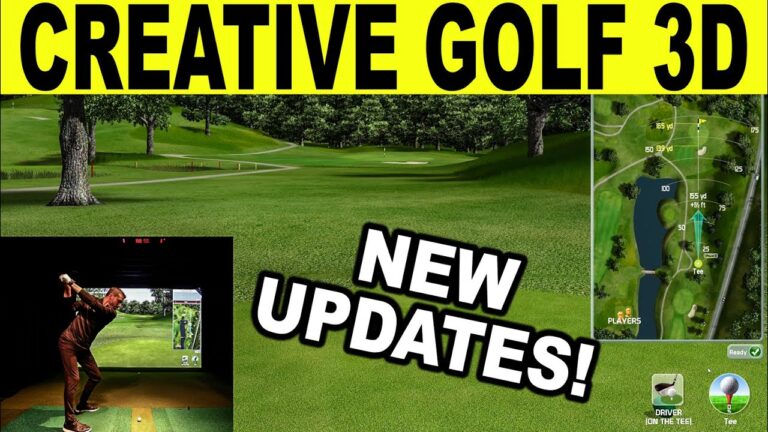
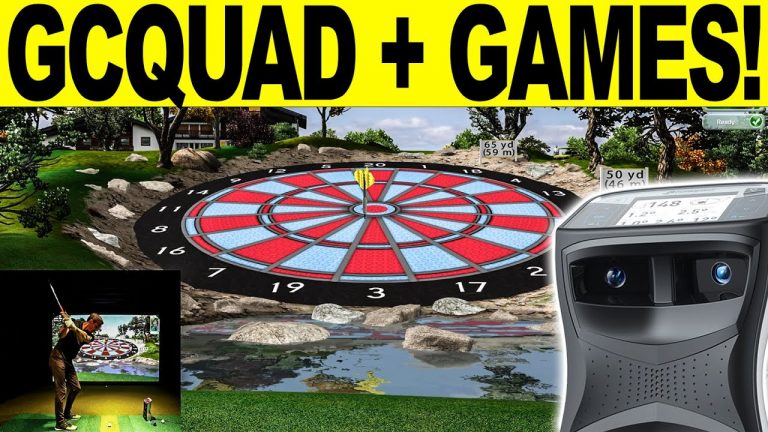
This NEW Creative Golf 3D Advanced golf simulator software update changes everything! New graphics, unlimited courses, UI updates, and more! Looking to build a home golf simulator? Email me for the best information & pricing at: Email Jay
What’s new in the new Creative Golf “Advanced” version
With the arrival of the new indoor golf season 2025-26, we are preparing a major upgrade for Creative Golf programs to the Advanced version.
It brings fundamental changes and improvements to your favorite golf software that will enhance your golf experience.
New features and improvements in the Advanced version
Course Library in the basic package.
Access to all golf courses
By purchasing or upgrading the basic Creative Golf program, you gain access to all golf courses that are part of the paid “Course Library” package in version 2.11. You get access to all 230 courses worldwide for free directly from the program.
Access to new courses
New courses released by the creators of Creative Golf in the future will be free for the Advanced version. New high-quality world courses are already in preparation, which will surely impress you.
Significant improvement in graphic display of nature
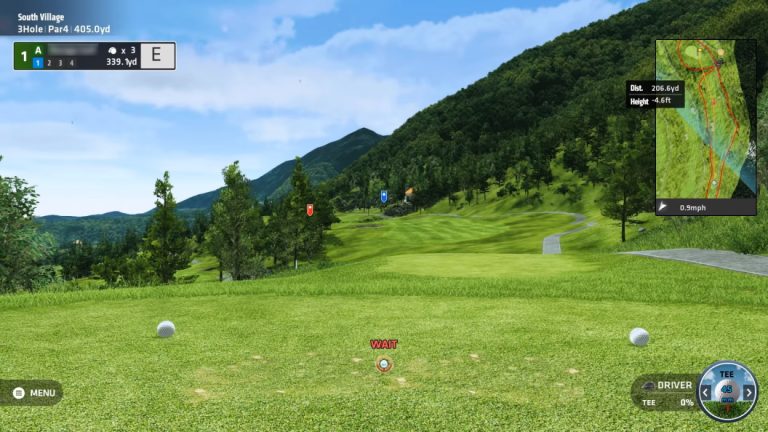
The Advanced version brings significant graphics improvements to the software, which will enhance your realistic feeling of playing on a virtual course.
New realistic nature display
The use of new realistic textures for grassy areas will bring you closer to real play on a golf course. The display of the surrounding nature, including rocks, mountains, and the landscape on the horizon, has also been improved.
Dynamic shadows
Shadows of trees swaying in the wind will bring you closer to the feeling of being on a real course.
New graphical user interface (UI)
The program control is graphically more modern, pleasant, and intuitive.
Modern design
The color scheme is not only modern and pleasant for the player but also adapted for projection via a projector.
Intuitive control
Program control is simplified with new icons featuring expressive pictograms.
Programmatic game enhancements
Advanced includes new enhancements to increase player comfort in the virtual space.
On-course markers
During the game, the player is informed about the situation on the given hole at every position by special markers that alert the player to the direction, distance, and elevation of important places on the hole:
Optimal tee shot
Hazards (water hazard, sand)
Distance to the green and flag
Quick setup Wizard
The program includes a “Wizard” for program setup, which allows you to quickly set optimal program parameters depending on whether it will be used as a simulator with a screen or just on a monitor, and whether it is a public installation or home use.
Openness to further improvements
The Advanced version contains many hidden innovations and is thus ready for further planned user comfort improvements.
Support for special configurations
The program increases its adaptability to individual player requirements and special simulator configurations.
Monitor/projector settings
User settings for displaying the golf game on monitors/projectors, among other things, allow combining the Advanced program with other software from the measuring device manufacturer.
Playing area settings
Improved settings for playing area parameters allow the use of multiple hitting mats.
Hardware requirements
The software has many graphical enhancements, and their quality application depends on your PC’s performance, especially the graphics card. It is advisable to have enough GRAM memory on the graphics card. We recommend using an NVidia GeForce card.
Requirements:
PC RAM: minimum 16GB, optimum: 32GB
Graphics card memory: Minimum 4 GB, optimum: 8GB
Note: The Advanced version includes a “Memory manager” that maximizes graphics card memory utilization. Therefore, it is possible to use Creative Golf Advanced to a limited extent even with lower parameters than the minimum. Using a more powerful graphics card increases display quality, especially details of nature and camera movement fluidity.
#golf #creativegolf #uneekor #golfsimulator #homegolfsimulator #golfing #golfer #golfgear #golftips #golflife #howto #reiview #howtogolf
What’s new in the new Creative Golf “Advanced” version
With the arrival of the new indoor golf season 2025-26, we are preparing a major upgrade for Creative Golf programs to the Advanced version.
It brings fundamental changes and improvements to your favorite golf software that will enhance your golf experience.
New features and improvements in the Advanced version
Course Library in the basic package.
Access to all golf courses
By purchasing or upgrading the basic Creative Golf program, you gain access to all golf courses that are part of the paid “Course Library” package in version 2.11. You get access to all 230 courses worldwide for free directly from the program.
Access to new courses
New courses released by the creators of Creative Golf in the future will be free for the Advanced version. New high-quality world courses are already in preparation, which will surely impress you.
Significant improvement in graphic display of nature
The Advanced version brings significant graphics improvements to the software, which will enhance your realistic feeling of playing on a virtual course.
New realistic nature display
The use of new realistic textures for grassy areas will bring you closer to real play on a golf course. The display of the surrounding nature, including rocks, mountains, and the landscape on the horizon, has also been improved.
Dynamic shadows
Shadows of trees swaying in the wind will bring you closer to the feeling of being on a real course.
New graphical user interface (UI)
The program control is graphically more modern, pleasant, and intuitive.
Modern design
The color scheme is not only modern and pleasant for the player but also adapted for projection via a projector.
Intuitive control
Program control is simplified with new icons featuring expressive pictograms.
Programmatic game enhancements
Advanced includes new enhancements to increase player comfort in the virtual space.
On-course markers
During the game, the player is informed about the situation on the given hole at every position by special markers that alert the player to the direction, distance, and elevation of important places on the hole:
Optimal tee shot
Hazards (water hazard, sand)
Distance to the green and flag
Quick setup Wizard
The program includes a “Wizard” for program setup, which allows you to quickly set optimal program parameters depending on whether it will be used as a simulator with a screen or just on a monitor, and whether it is a public installation or home use.
Openness to further improvements
The Advanced version contains many hidden innovations and is thus ready for further planned user comfort improvements.
Support for special configurations
The program increases its adaptability to individual player requirements and special simulator configurations.
Monitor/projector settings
User settings for displaying the golf game on monitors/projectors, among other things, allow combining the Advanced program with other software from the measuring device manufacturer.
Playing area settings
Improved settings for playing area parameters allow the use of multiple hitting mats.
Hardware requirements
The software has many graphical enhancements, and their quality application depends on your PC’s performance, especially the graphics card. It is advisable to have enough GRAM memory on the graphics card. We recommend using an NVidia GeForce card.
Requirements:
PC RAM: minimum 16GB, optimum: 32GB
Graphics card memory: Minimum 4 GB, optimum: 8GB
Note: The Advanced version includes a “Memory manager” that maximizes graphics card memory utilization. Therefore, it is possible to use Creative Golf Advanced to a limited extent even with lower parameters than the minimum. Using a more powerful graphics card increases display quality, especially details of nature and camera movement fluidity.
#golf #creativegolf #uneekor #golfsimulator #homegolfsimulator #golfing #golfer #golfgear #golftips #golflife #howto #reiview #howtogolf
Shop for your golf simulator
Launch monitors and complete simulator packages at Shop Indoor Golf, through GSV's links and with GSV's codes.
- Launch monitors5% off at Shop Indoor Golf with code GSV5OFF.First-time buyers only, one use. Not valid on a standalone Trackman, the Square Golf launch monitor or the ProTee VX.
- Complete golf simulator packages$250 off at Shop Indoor Golf with code GSV250.SIG8, SIG10 and SIG12 enclosures and studios, DIY and commercial enclosures, G-TRAK screens, SIGPRO flooring and complete simulator packages.
Free consultation. GSV's partner master builders, hand-picked by Jay, get on a call quickly and make sure everything fits, with package deals, DIY packages, full installation and more.
Get a free consultationBuying through GSV's links and codes helps support the channel: GSV earns a small commission at no extra cost to you, and you still get every saving available. Prices are on the shop's page. Codes last checked August 19, 2026.
Build the rest of your sim
- Enclosure and screen$250 off at Shop Indoor GolfShop
- Carl's Place enclosure5% off, code sent by emailShopGet the code
- Hitting mat$20 off at Shop Indoor GolfShop
- Projector5% off at Shop Indoor Golf. First-time buyersShop
- Simulator computerSurfThing: $100 off applied automatically, no codeShop
- TouchscreenGSV code for TouchscreenGuruShop
- Complete package$250 off at Shop Indoor GolfShop
GSV earns a small commission on these links, at no extra cost to you. Shop Indoor Golf takes one code per order.