
SurfThing Golf Simulator Computer Review — Save $100 with Jay's Link
The only PC built and certified specifically for golf simulation. Jay tests the SG3-5802 RTX 5080 build — GSPro, Trackman, E6, and 4K benchmark results with real-world performance data.
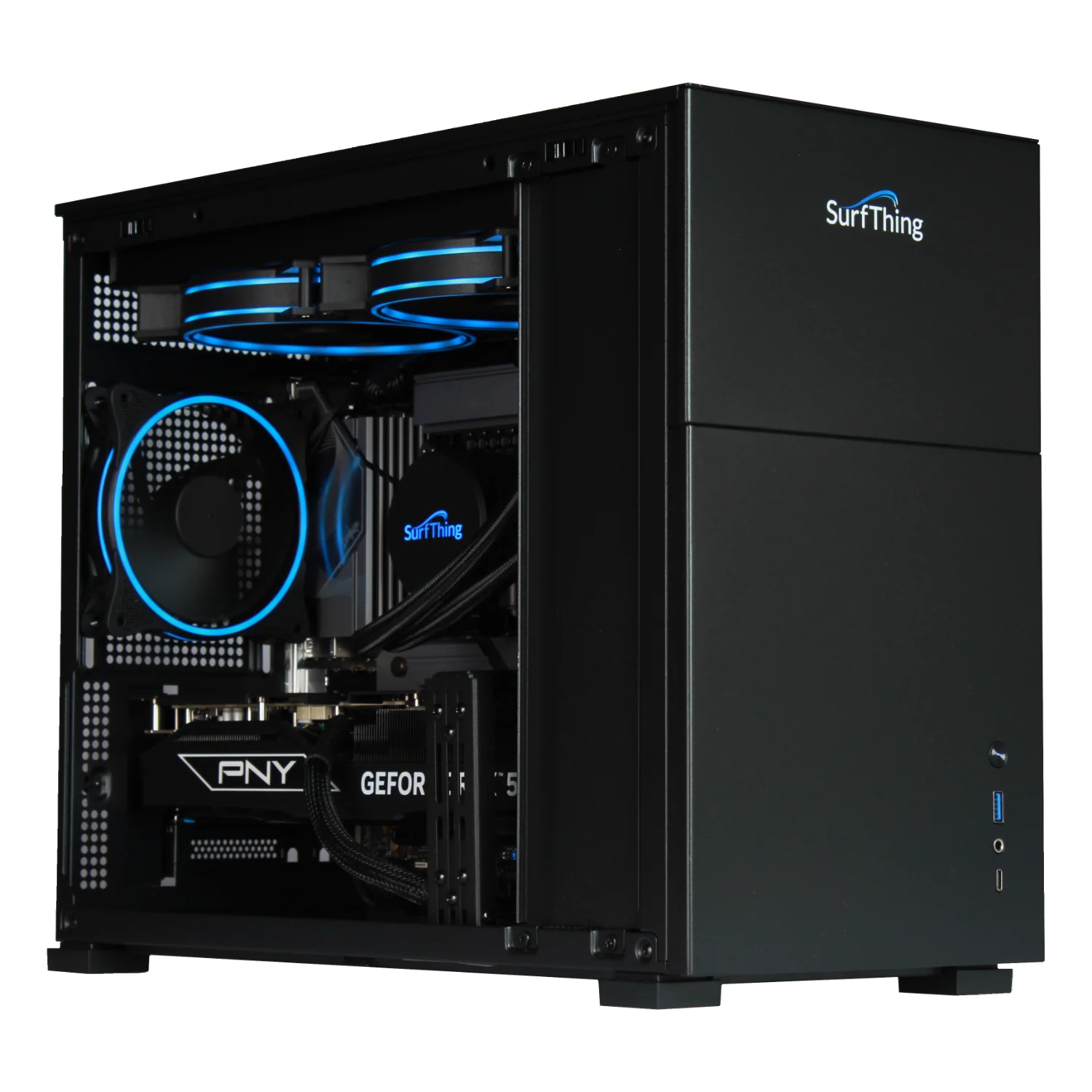
Jay's Affiliate Link Saves You $100 on Any SurfThing PC
No discount code needed. Click Jay's link and $100 is automatically deducted from your order at checkout. Works on every model in the SG3 lineup — from the entry-level 5602 to the flagship 5802.
No code needed — savings applied automatically at checkout
Click Jay's link to save $100 on any SurfThing PCRelated Resources from Jay
Jay's SurfThing RTX 5080 Build Review — Full Unboxing & Benchmark
Watch Jay unbox the SurfThing SG3-5802, inspect the hardware, and run real benchmark tests in GSPro and Trackman Virtual Golf 3. This is the video to watch before deciding which SurfThing model is right for your setup.
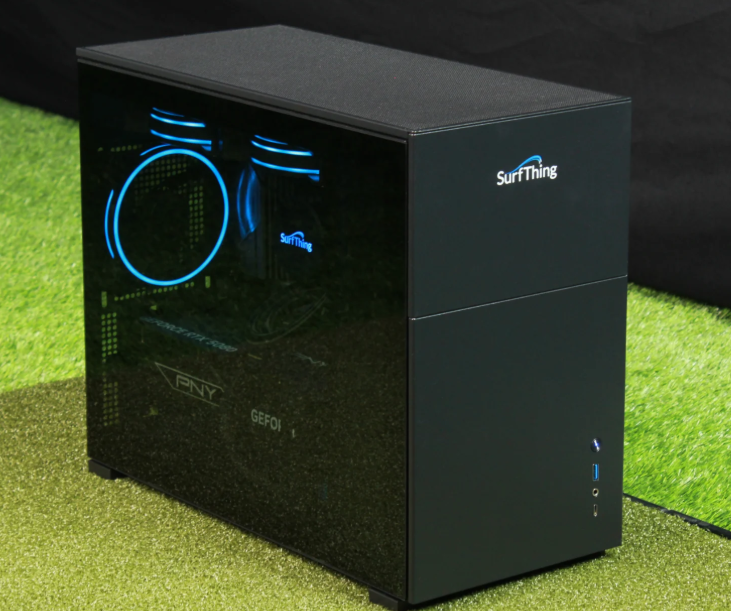
The Difference Between a Gaming PC and a Golf Simulator PC
Any reasonably powerful gaming PC can technically run golf simulator software. The reason golfers buy SurfThing specifically comes down to one thing: certainty. When you buy a generic gaming PC you are gambling that the specs you picked will handle your software at the settings you want. When you buy SurfThing you know.
- Certified with every major simulator platform — GSPro, Trackman, Uneekor, Foresight, E6 Connect, FSX Play, TGC 2019. Each model is tested against each platform before it ships.
- 3,000+ golf simulator computers in circulation — SurfThing has been building simulator-specific PCs long enough to know what works and what breaks under real-world sim conditions.
- Pre-installed with your software of choice — SurfThing can pre-load your simulator software so it is ready to run the moment the PC arrives.
- Compact SG3X case — designed to fit neatly in a simulator bay or equipment shelf, not a full tower gaming rig that takes up floor space.
- 2-year warranty — most competitor gaming PC warranties are 1 year. SurfThing doubles that.
Jay's Take: I have set up a lot of simulator PCs over the years. The frustrating ones are always the generic builds where you spend hours troubleshooting why the frame rate drops mid-round or why the launch monitor drops connection. With the SurfThing that conversation never happens. You plug it in and it works.
$100 off every SurfThing model. No code needed — Jay's link applies the saving automatically at checkout.
→ Shop SurfThing — Save $100SurfThing SG3 Lineup — Four Models, Every Budget
All four SG3 models share the same compact case, Windows 11, WiFi 6E, Bluetooth 5.3, USB-C Thunderbolt, and 2-year warranty. The differences are GPU, CPU, RAM, and storage. Here is how to choose:
- CPU: Intel Core Ultra 5 225F
- GPU: NVIDIA RTX 4060 8GB
- RAM: 16GB DDR5
- Storage: 1TB NVMe Gen4
- Best at: 1080p smooth
- 4K: Limited
- CPU: Intel Core Ultra 7
- GPU: NVIDIA RTX 5070
- RAM: 16GB DDR5
- Storage: 1TB NVMe Gen4
- Best at: 1080p + 4K entry
- 4K: Good
- CPU: Intel Core Ultra 7
- GPU: NVIDIA RTX 5070 Ti
- RAM: 32GB DDR5
- Storage: 1TB NVMe Gen4
- Best at: 4K + swing cameras
- 4K: Very Good
- CPU: Intel Core Ultra 7 265F
- GPU: NVIDIA RTX 5080 16GB GDDR7
- RAM: 32GB DDR5 6000MHz
- Storage: 2TB NVMe Gen4
- Cooling: 280mm liquid cooler
- 4K: Flawless — any software
Exact pricing may vary — click Jay's link for current pricing and the $100 saving applied automatically. SurfThing also sells simulator bundles that include the PC with a projector or touchscreen monitor.
Full Spec Comparison — All Four SG3 Models
| Model | Price | CPU | GPU | RAM | Storage | 1080p | 4K | Best For |
|---|---|---|---|---|---|---|---|---|
| SG3-5602 | ~$2,199 | Ultra 5 225F | RTX 4060 8GB | 16GB DDR5 | 1TB | ✓ | Limited | 1080p builds, budget-conscious buyers |
| SG3-5702 | ~$2,999 | Ultra 7 | RTX 5070 | 16GB DDR5 | 1TB | ✓ | Good | 4K entry, most home simulator builds |
| SG3-5702Ti | ~$3,499 | Ultra 7 | RTX 5070 Ti | 32GB DDR5 | 1TB | ✓ | Very Good | 4K + swing cameras simultaneously |
| SG3-5802 | ~$4,399 | Ultra 7 265F | RTX 5080 16GB | 32GB DDR5 | 2TB | ✓ | Flawless | 4K ultra, commercial bays, max performance |
All models include: Windows 11 Home, WiFi 6E, Bluetooth 5.3, USB-C Thunderbolt 4, HDMI, DisplayPort, 2.5G LAN, wireless keyboard and mouse, and 2-year warranty. Save $100 on any model via Jay's link.
Every SurfThing PC Is Tested with Every Major Simulator Platform
SurfThing partners with golf simulator software developers and launch monitor brands to certify performance on every model. This is what separates a SurfThing from a generic gaming PC at a similar price point — you are not guessing at compatibility.
| Software Platform | SG3-5602 (1080p) | SG3-5702 (4K entry) | SG3-5702Ti | SG3-5802 (4K elite) |
|---|---|---|---|---|
| GSPro | ✓ 1080p | ✓ 4K | ✓ 4K | ✓ 4K Ultra |
| Trackman Virtual Golf 3 | ✓ 1080p | ✓ 4K | ✓ 4K | ✓ 4K Ultra |
| Uneekor GameDay | ✓ 1080p | ✓ 4K | ✓ 4K | ✓ 4K Ultra |
| E6 Connect | ✓ 1080p | ✓ 4K | ✓ 4K | ✓ 4K Ultra |
| FSX Play / FSX 2020 | ✓ 1080p | ✓ 4K | ✓ 4K | ✓ 4K Ultra |
| TGC 2019 | ✓ 1080p | ✓ 4K | ✓ 4K | ✓ 4K Ultra |
Jay's Take on Software: When I benchmarked the SG3-5802 in GSPro at 4K Ultra settings I was getting consistent frame rates that made the experience genuinely cinematic. The Trackman TPS benchmark was equally impressive. If you are running a 4K projector or a large touchscreen monitor and want the software to keep up with it, the 5802 is the only model I would recommend without hesitation.
Certified for GSPro, Trackman, Uneekor, E6, and more. Save $100 automatically with Jay's link.
→ Shop SurfThing — Save $100Matching the Right SurfThing to Your Setup
Home Simulator — 1080p Screen or Projector
You are building a home simulator with a 1080p projector or FHD impact screen. You do not need 4K. You want reliable, smooth simulation at a budget-conscious entry point.
→ SG3-5602 (~$2,199 — save $100)Home Simulator — 4K Projector or Large Screen
You have a 4K short-throw projector or a large 4K touchscreen monitor. You want smooth 4K gameplay without frame drops during course play. This is the most common upgrade path.
→ SG3-5702 or 5702Ti (~$2,999-$3,499)Commercial Bay or Max Performance Build
You run a commercial simulator bay, a training studio, or you want the best possible 4K performance with swing cameras, recording, and zero compromise. Future-proof for anything the simulator software market releases.
→ SG3-5802 (~$4,399 — save $100)SurfThing Golf Simulator PC FAQ
How do I save $100 on a SurfThing PC?
Use Jay's affiliate link to visit the SurfThing store. The $100 saving is applied automatically at checkout — no discount code needed. The saving works on every model in the SG3 lineup.
Which SurfThing model do I need for GSPro at 4K?
The SG3-5702 is the entry point for 4K GSPro performance. For consistent 4K Ultra settings with headroom for swing cameras and future software updates, the SG3-5802 with RTX 5080 is Jay's recommendation. The SG3-5602 handles GSPro well at 1080p but will struggle at 4K on demanding course files.
Does SurfThing come with simulator software pre-installed?
Yes — SurfThing offers optional pre-installation of your simulator software of choice. If you want to open the box and play immediately without any software setup, you can request this when ordering. Check the SurfThing website for current software pre-installation options.
Why buy SurfThing instead of building my own PC?
Building your own PC is cheaper on paper but requires technical knowledge, compatibility research, and acceptance that something might not work with your specific simulator software combination. SurfThing has tested every model against every major simulator platform with every major launch monitor. The 2-year warranty, certified compatibility, and pre-installation option are worth paying for in a setup where the PC is mission-critical equipment you use daily. For someone who is not confident in custom PC builds, SurfThing eliminates the risk entirely.
What warranty does SurfThing offer?
All SurfThing SG3 computers come with a 2-year limited warranty covering parts and labor, plus a 30-day return window on undamaged products. The 2-year warranty is notably better than most competing gaming PC brands which offer 1 year as standard.
Does SurfThing work with Trackman, Uneekor, and Foresight launch monitors?
Yes — all SurfThing models are certified compatible with Trackman, Uneekor, Foresight Sports (GCQuad, GC3, FSX), SkyTrak, FlightScope, and all other major launch monitor brands. SurfThing specifically partners with simulator software developers and launch monitor manufacturers to verify compatibility before each model ships.
Is the SurfThing SG3-5802 worth it over the 5702?
If your primary use is 4K course play in GSPro, E6, or Trackman — the 5702 handles it well and saves $1,400. The 5802 earns its premium if you are running swing cameras simultaneously, recording or streaming gameplay, running a commercial bay where the PC is on all day, or want genuine future-proofing for the next several years of simulator software development. Jay runs the 5802 in his studio and considers it the right call for anyone who uses their simulator seriously.
Not sure which model fits your setup? Email Jay — he'll tell you exactly which SurfThing to buy for your launch monitor, software, and display combination.
✉ Email Jay FreeReady to Order? Use Jay's Link.
$100 off every SurfThing model. Applied automatically — no code needed. Click the link below.
Questions? Email Jay: Email Jay
Build the rest of your sim
- Enclosure and screen$250 off at Shop Indoor GolfShop
- Carl's Place enclosure5% off, code sent by emailShopGet the code
- Hitting mat$20 off at Shop Indoor GolfShop
- Projector5% off at Shop Indoor Golf. First-time buyersShop
- TouchscreenGSV code for TouchscreenGuruShop
- Complete package$250 off at Shop Indoor GolfShop
GSV earns a small commission on these links, at no extra cost to you. Shop Indoor Golf takes one code per order.